Key takeaways
- Pros: inexpensive, lightweight, adjustable angle, easy to find replacement units
- Cons: plastic construction feels less sturdy than metal competitors; 125-sheet capacity is modest for thick manuals
Typing from a printed page, invoice stack, or script without a document holder means constantly dropping your eyes to a flat desk surface and craning your neck — a habit that adds up to real strain over an 8-hour day. A good copy holder angles your pages to roughly the same eye line as your monitor, so your neck stays neutral and your place in the document stays marked even when you look away. Below are four real, widely available holders that cover the budget, heavy-duty, and in-line (between keyboard and monitor) styles.
Fellowes Desktop Copyholder (21106)
This is the classic plastic easel-style holder found on millions of office desks. It’s non-magnetic, holds up to 125 sheets, and includes a track-adjustable line guide that slides down the page so you never lose your place mid-sentence. The easel back lets you change the viewing angle to match your sitting height.
- Pros: inexpensive, lightweight, adjustable angle, easy to find replacement units
- Cons: plastic construction feels less sturdy than metal competitors; 125-sheet capacity is modest for thick manuals
Fellowes Kopy-Aid Metal Copyholder (11053)
A step up in build quality, the Kopy-Aid is an all-metal easel-style holder rated for up to 200 sheets of standard copy paper. A removable magnetic paper holder clamps pages in place so they don’t slide or flutter, and the whole unit folds flat for storage when you don’t need it.
- Pros: metal frame feels far more durable, higher page capacity, magnetic hold keeps single sheets from shifting
- Cons: heavier and bulkier than the plastic model; magnetic clip can mark very thin paper
3M DH630 In-Line Document Holder
The DH630 is designed to sit directly between your keyboard and monitor rather than off to the side, so your eyes travel the shortest possible distance between the screen and the page. It measures roughly 14 x 12 x 3 inches, holds up to 150 sheets thanks to a stretchy elastic line guide, and has a transparent back plate that supports wide or heavy documents like catalogs.
- Pros: in-line placement minimizes head and eye movement, skid-free base, can stand on the desk or hang over the edge
- Cons: takes up prime real estate between keyboard and screen, which won’t suit every desk layout
3M DH640 Adjustable In-Line Document Holder
The DH640 is the larger, more adjustable sibling of the DH630. At 19.1 x 18 x 3.0 inches it’s built for bigger documents — catalogs, bound reports, oversized pages — and offers a broader range of angle and height adjustment. A nonskid, grooved ledge holds various document sizes without an elastic band getting in the way.
- Pros: widest adjustment range of this group, handles oversized documents well, grooved ledge works without a line guide
- Cons: largest footprint on this list; overkill if you only reference single letter-size pages
Kensington Insight Adjustable Desktop Copyholder
Kensington’s Insight line is the other major name in copyholders alongside Fellowes, and the adjustable desktop model splits the difference between the two: a 50-sheet plastic easel with the SmartFit System markings that help you size the holder’s angle and height to your own posture rather than guessing. The copy clip grips a single sheet or a thin stack firmly enough that it doesn’t drift when you bump the desk, and the base folds flatter than the Fellowes units for storage in a drawer.
- Pros: SmartFit angle guide takes the guesswork out of ergonomic setup, firm single-sheet grip, folds flat
- Cons: 50-sheet capacity is the lowest of this group, so it’s a poor fit for reference manuals
How to Choose
Decide first whether you want a side-mounted easel (Fellowes- or Kensington-style) or an in-line holder that sits between keyboard and screen (3M-style) — in-line designs reduce eye travel more but take up desk depth. Then check page capacity against what you actually reference: single invoices need far less than a 200-page manual. Finally, consider whether a magnetic clip, elastic line guide, or grooved ledge suits your paper type; magnetic clips are best for single sheets, elastic guides for stacks you flip through.
Build material matters more than most buyers expect. Plastic easels like the Fellowes 21106 and the Kensington Insight are fine for light, occasional use, but if the holder lives on your desk permanently and gets bumped, leaned on, or repositioned daily, the metal Kopy-Aid or the rigid 3M units will hold their angle far longer without the frame loosening at the hinge. Also factor in how you’ll actually read the page: a line guide that tracks down the sheet works well for continuous reading (scripts, transcripts), while a clip or ledge that just pins the page flat suits quick-reference lookups where you jump around the document. Left-handed users should note that most easel-style holders are symmetrical and work fine either side of the keyboard, but in-line models are fixed to the center position, which some people find limits where they can angle their chair.
FAQ
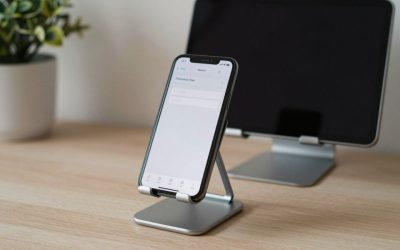
Do document holders work with tablets as well as paper? Most of the holders above are designed around paper thickness and clip/line-guide mechanisms, so a dedicated tablet stand is a better fit for screens.
Will a document holder block part of my monitor? In-line models like the DH630/DH640 sit below monitor height on most adjustable monitor arms or stands, but check your desk depth before buying if your monitor sits low.
Can these holders attach to a monitor arm instead of sitting on the desk? The models above are freestanding desktop units; monitor-clip-style document holders exist as a separate product category if you need to save desk space.
How much desk depth does an in-line holder actually need? Budget roughly 3 inches of depth for the 3M DH630 and closer to 3 inches for the larger DH640 as well, since both are shallow by design — the real space concern is width, since the DH640 spans over 19 inches versus the DH630’s 14.
Is a metal or plastic frame worth the price difference? If the holder stays on your desk permanently and gets adjusted often, the metal Kopy-Aid’s hinge will hold its angle for years longer than a plastic easel’s; for occasional use, the price difference isn’t worth it.
More from Amazon
Programs that pair well with the guide above. Offers and eligibility are set by Amazon and may change.
Free shipping on eligible items, Prime Video and more. Eligible new members can start with a free trial.
Start a Prime free trialAudiobooks and podcasts to listen to on the go. Eligible new members can start with a free trial.
Try Audible freeAd-free music streaming. Eligible new subscribers can start with a free trial.
Try Music Unlimited freeA free business account with business pricing and bulk-buying tools for work, shop or home office.
Create a business accountAs an Amazon Associate we earn from qualifying purchases.




Write Your Review
No reviews yet. Be the first to share your experience!