
Key takeaways
- Looking for the best desk mat companions for a study? See five honest picks that define your work zone, tidy the edges, and keep a shared table calm.
A desk mat looks like a small thing, but on a shared table it does quiet, important work. The moment a mat goes down, one stretch of tabletop stops being general household space and starts being a study zone. Books, a keyboard, a notebook, and a mouse gather inside its borders, and everything else learns to stay outside them. That boundary helps a session start faster and end cleanly, since tidying means returning a few items to their places inside one clear rectangle.
This guide is about the companions that gather around a desk mat in a study, not about the mat alone. To state it plainly: none of the five picks below is itself a desk mat. Each supports the mat’s zone in a different way — holding the small items that would otherwise wander across it, lighting the room around it, mounting a device at its edge, carrying the laptop, or serving a drink on a side table. Each pick below comes with honest notes on what it can and cannot do.
As an Amazon Associate, we earn from qualifying purchases.
How to Choose Companions Around a Desk Mat
Let the Mat Define the Study Zone
On a shared table, the mat’s first job is to draw a line. Everything inside the rectangle belongs to studying: keyboard, notebook, mouse, current textbook. Everything outside belongs to the rest of the home. That rule sounds strict, but it keeps the peace: nobody has to guess where the study space ends. Choose companions that respect the border: small storage at the mat’s edge or just beyond it, drinks off it entirely, and anything that does not serve the current session living somewhere else.
Size the Mat for Keyboard, Notebook, and Mouse Together
A mat that fits only the keyboard will frustrate a student within a day. The notebook slides half off, the mouse runs out of room, and papers creep across the bare table anyway. Before choosing, lay out the full working set — keyboard, an open notebook, and the mouse with room to travel — and measure the footprint they make together. The mat should hold all three at once with a small margin to spare. On a shared table, that sizing matters twice over: the mat claims exactly the space studying needs, no more.
Wipe the Surface Every Week
A desk mat gathers dust, pencil shavings, and eraser crumbs, precisely because it catches everything the bare desk used to catch. A weekly wipe keeps that from building into a gritty layer that papers slide over and sleeves pick up. Lift everything off, shake the mat out, wipe it with a slightly damp cloth, and let it dry fully before the keyboard goes back down. The habit takes a few minutes and doubles as a weekly reset for the zone.
Keep the Edges Flat So Papers Slide Cleanly
A mat earns its keep at its edges. When the edges lie flat, papers and notebooks slide on and off the surface smoothly, and the boundary between mat and table feels like a gentle step rather than a trip hazard. Edges that curl upward catch page corners, trap dust underneath, and slowly train the student to avoid the mat altogether. Look for a mat that settles flat without a fight, and give a rolled one time under a stack of books. A flat edge decides whether the mat feels like part of the desk or an obstacle laid on top of it.
Remember What a Mat Actually Does
It is worth saying plainly: a mat marks and protects the work zone, while the desk underneath does the supporting. The mat keeps pen marks and scratches off the tabletop, gives the mouse a consistent surface, and signals where study happens. It does not make a wobbly table steady, fix a chair at the wrong height, or turn a noisy room quiet. That honest division makes for better decisions: each companion here is judged on the one job it actually does.
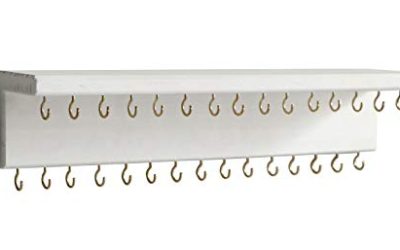
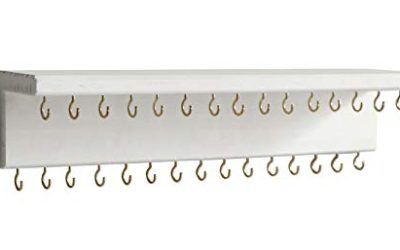
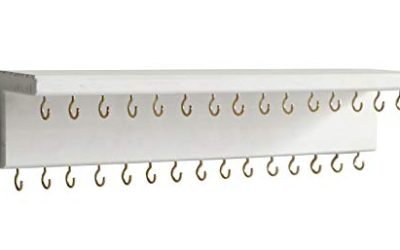
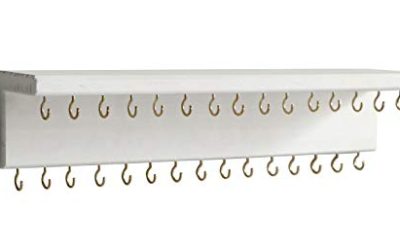
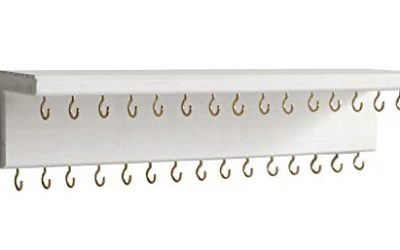
SANY DAYO Jewelry Organizer With 30 Hooks

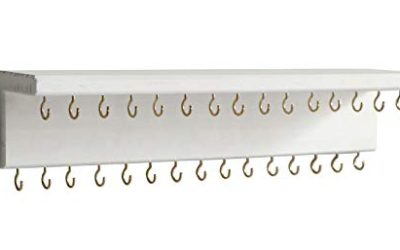
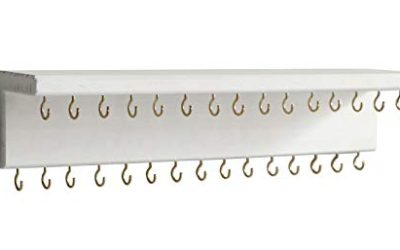
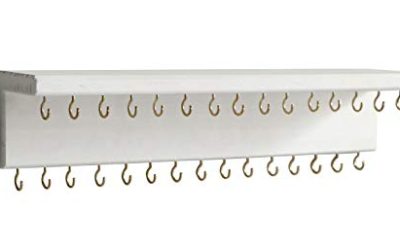
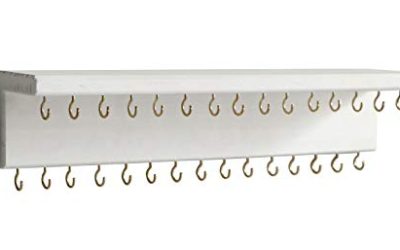
The SANY DAYO organizer is, plainly, a jewelry organizer, and it earns its place in a study by being repurposed with clear limits. Mounted on a wall beside the desk or standing at the back edge of the table, its rows of hooks become a light-duty rail for the small things that otherwise drift across a desk mat: keys, a lanyard, earbuds in their case, a light ID badge, a charging cable looped loosely. A hook for each keeps them off the mat, so the zone stays clear for books and writing.
The limits matter as much as the uses. This is a jewelry organizer, not shelving and not an equipment rack. Use it for light accessories only. It is explicitly not for consoles, drives, power bricks, or heavy tools — those belong on a shelf or in a drawer. Treat the rail as light-duty storage only.
Specs
- Product type: wall-style jewelry organizer with 30 hooks
- Intended original use: hanging necklaces, bracelets, and similar jewelry
- Repurposed study use: light-duty rail for keys, lanyards, and light accessories
- Load guidance: light items only; no consoles, drives, power bricks, or heavy tools
- Placement: wall beside the desk or rear edge of the study table
HEKEE Dusk to Dawn Bulbs, A19

The HEKEE bulbs are plain automatic sensor bulbs, and their role in a study is background light for the room, nothing more specific than that. A built-in sensor turns the bulb on as daylight fades and off when morning returns, which suits a hallway or a room’s general ceiling light. There is no app, no pairing, and no colour changing — the bulb simply responds to the light around it.
Two honest cautions come with that simplicity. First, these are explicitly not smart bulbs, and they are not task lighting: they will not focus light on a page the way a desk lamp does, and a study still needs its own proper lamp for reading. Second, in a windowless room the sensor may read permanent darkness and stay on. Before fitting one in an enclosed fixture, check that the fixture and bulb are rated for enclosed use.
Specs
- Product type: A19 bulbs with a built-in dusk-to-dawn light sensor
- Behaviour: turns on at dusk, off at dawn, automatically
- Controls: none; not smart bulbs, no app or voice control
- Role in a study: general room background light, not task lighting
- Notes: may stay on in windowless rooms; check enclosed-fixture rating before use
ULANZI Super Clamp

The ULANZI super clamp is a mount, and only a mount. It has no light of its own, no phone, and no camera — it simply grips an edge and holds whatever compatible device is attached to it. Around a desk mat, it is useful at the zone’s border: clamped to the desk edge, it can hold a phone above the mat for a study timer or recorded lecture, keeping the phone off the surface.
Used well, a clamp keeps the mat clear; used carelessly, it causes damage. Never clamp a monitor screen — screens are not grip points, and clamping one can crack it. Pad the jaws so it grips without marking the desk edge, and check the grip before trusting it with a device. Within those rules, the clamp holds things in the air so the mat below stays clean and flat.
Specs
- Product type: super clamp mount for desks, shelves, and poles
- Includes: clamp only; no light, phone, or camera included
- Study use: holding a phone or small device above or beside the mat
- Safety notes: never clamp a monitor screen; pad the jaws to protect surfaces
- Grip check: confirm a firm hold before leaving a device mounted
tomtoc Laptop Case

A study built around a desk mat on a shared table usually has to pack away, and that is where the tomtoc laptop case fits in. When the session ends, the laptop slides into the padded case and the table returns to the household. The case cushions the laptop against everyday knocks and bumps in a bag.
Its limits are plain. It is not a hard shell, so it will not stand up to crushing weight or a serious drop, and it is not waterproof, so a rainy walk calls for the case to ride inside another bag. The most important buying step is the simplest: check the internal dimensions against the laptop’s actual size before ordering, because a case that is nearly right is wrong — too tight strains the zip, too loose lets the machine slide. Measured properly, the case keeps the laptop safe between sessions.
Specs
- Product type: padded soft laptop case
- Protection: cushioning against everyday knocks and bumps
- Limits: not a hard shell; not waterproof
- Fit guidance: check internal dimensions against the laptop before buying
- Study use: storing and carrying the laptop between sessions on a shared table
JoyJolt Faye Highball Glasses, 13 oz, Set of 6

The JoyJolt Faye glasses enter this guide under one strict rule: they belong on a side table, never on the mat near electronics. They are real glassware — genuine, breakable glass — and a tall glass of water is a real comfort during a long study session. Kept on a side table beside the desk, a glass serves that purpose without threatening the laptop, notebook, or mat.
Tall glasses tip, and a spill across a desk mat soaks notebooks and reaches keyboards. So the glasses live off the desk entirely. The set of six suits a household rather than a single student, and the 13 oz size holds a proper drink that does not need constant refilling. Treated as side-table glassware, the set does its job well — as long as the mat stays dry and out of its reach.
Specs
- Product type: highball drinking glasses
- Capacity: 13 oz per glass
- Set size: 6 glasses
- Material: real glass; breakable, handle and wash with care
- Placement rule: side table only; never on the desk mat or near electronics
FAQ
Can a desk mat replace a mouse pad in a study setup?
For most study work, yes. A desk mat gives the mouse one consistent surface across the whole work zone, so a separate small pad becomes unnecessary. What matters is that the surface lets the mouse glide and track evenly, and that the mat lies flat. If the mouse ever feels inconsistent, clean the surface first — dust and crumbs are the usual cause.
How often should a desk mat be wiped down?
A weekly wipe suits most study routines. Lift everything off, shake out loose crumbs, wipe with a slightly damp cloth, and let the surface dry fully before setting the keyboard and notebook back down. Desks that double as eating surfaces may need attention more often, because a mat gathers whatever lands on it.
What size desk mat works best on a shared table?
Choose by the working set, not by the table. The mat should hold the keyboard, an open notebook, and the mouse with room to move, all at once, with a small margin around them. On a shared table, that footprint is also a courtesy: the mat claims the space studying genuinely needs and leaves the rest free for everyone else.
Should drinks ever sit on a desk mat?
No. A mat is not a coaster, and a tall glass near a laptop and paper notes is a spill waiting for one careless elbow. Keep drinks on a side table away from the desk entirely. The mat stays dry, the electronics stay safe, and the study zone stays calm — the entire point of laying the mat down.
Final Verdict
A calm study on a shared table starts with a boundary, and the desk mat draws it. Size the mat for the full working set, wipe it weekly, keep its edges flat, and remember that it marks and protects the zone while the desk does the supporting. Around that boundary, each companion has one honest job: the SANY DAYO organizer rails light accessories off the surface, the HEKEE bulbs handle background light without pretending to be smart or task lighting, the ULANZI clamp holds a device in the air without ever touching a screen, the tomtoc case carries the laptop safely between sessions, and the JoyJolt glasses serve drinks from a side table where real glass belongs. With those limits in mind, the five picks keep a study zone clear, calm, and easy to return to.
Product and ASIN Reference
| Product | ASIN |
|---|---|
| SANY DAYO jewelry organizer 30 hooks | B07QFZSVQW |
| HEKEE dusk to dawn bulbs A19 | B07HGZMYZ4 |
| ULANZI super clamp | B09C882D4M |
| tomtoc laptop case | B073TVX735 |
| JoyJolt Faye highball glasses 13 oz 6 pack | B08BB62QWT |
FAQ
Can a desk mat replace a mouse pad in a study setup?
How often should a desk mat be wiped down?
What size desk mat works best on a shared table?
Should drinks ever sit on a desk mat?
More from Amazon
Programs that pair well with the guide above. Offers and eligibility are set by Amazon and may change.
Free shipping on eligible items, Prime Video and more. Eligible new members can start with a free trial.
Start a Prime free trialAudiobooks and podcasts to listen to on the go. Eligible new members can start with a free trial.
Try Audible freeAd-free music streaming. Eligible new subscribers can start with a free trial.
Try Music Unlimited freeA free business account with business pricing and bulk-buying tools for work, shop or home office.
Create a business accountAs an Amazon Associate we earn from qualifying purchases.
Write Your Review
No reviews yet. Be the first to share your experience!