Key takeaways
- Power cables: monitor power, desk motor power, outlet strip — keep these together and separate from data cables to avoid electrical interference with things like webcam audio.
- Data/video cables: HDMI/DisplayPort, USB, Ethernet — these need to be the ones with the most slack since they’re more sensitive to being yanked taut.
- Peripheral cables: keyboard, mouse, headset — usually short enough that they just need a small desk-top clip, not full vertical routing.
Cable management on a fixed desk is a one-time job. On a standing desk, it’s an ongoing engineering problem — every cable has to survive dozens of up-and-down cycles without snagging, stretching taut, or getting crushed in the lifting mechanism. Here’s how to set it up properly the first time.
Step 1: Understand the moving-desk problem
A sitting desk’s cables just need to stay out of the way. A standing desk’s cables need slack management — enough give to handle the full height range without pulling tight at the top, and enough structure that the slack doesn’t droop into the desk’s lifting legs at the bottom.
Step 2: Install a vertical cable spine
A cable management spine for a standing desk is the single most important piece of hardware here. It attaches to one desk leg and runs from the tabletop down to the floor, holding a bundle of cables in a flexible housing that extends and compresses as the desk moves — instead of cables swinging loose or getting pinched between the leg and the frame. The VIVO Vertebrae Magnetic Cable Management Kit is a common choice for steel-leg desks since its magnetic mount avoids drilling, while a screw-mounted option like the PEGZONE spine works on frames without exposed metal.
Step 3: Group cables by category before routing
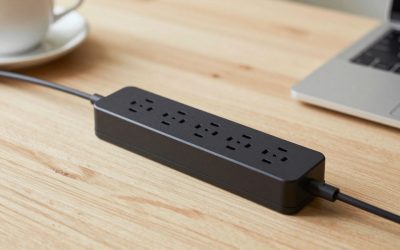
- Power cables: monitor power, desk motor power, outlet strip — keep these together and separate from data cables to avoid electrical interference with things like webcam audio.
- Data/video cables: HDMI/DisplayPort, USB, Ethernet — these need to be the ones with the most slack since they’re more sensitive to being yanked taut.
- Peripheral cables: keyboard, mouse, headset — usually short enough that they just need a small desk-top clip, not full vertical routing.
Step 4: Route the desktop side first
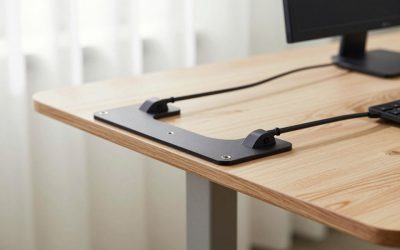
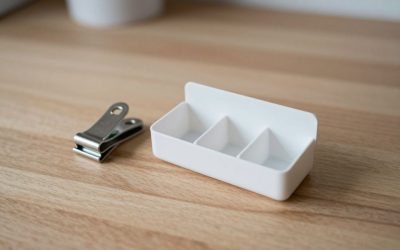
- Use cable clips for desk along the underside of the tabletop to keep cables from dangling in front of your knees when the desk is lowered.
- Bundle parallel-running cables with reusable cable ties rather than permanent zip ties — standing desk setups get rearranged more often than people expect, and permanent ties mean redoing the whole bundle every time you add a device.
- Leave a deliberate loop of slack where cables transition from the tabletop to the vertical spine — this loop is what absorbs the up-and-down motion instead of the connectors at either end taking the strain.
Step 5: Handle the floor-level side
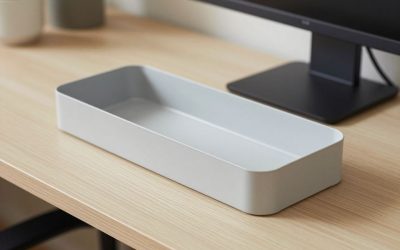
Once cables exit the bottom of the spine, route them into an under desk cable management tray or a floor-level cable box rather than letting them run loose across the floor. This matters even more with a standing desk since the floor space under it changes exposure as the desk height changes — a cable that’s tucked away at sitting height can suddenly be more visible, and more trip-hazard, at standing height.
Step 6: Test the full range of motion
Before calling it done, raise the desk to its maximum height and lower it to minimum at least twice while watching every cable run. Look specifically for: any cable pulling taut at full height, any cable getting pinched near the leg mechanism, and any connector bearing weight instead of the cable body. Fix these now — they’re much easier to adjust before you’ve built a full day of cable fatigue into the plan.
Maintenance going forward
Standing desk cable systems need a quick check every month or two, since the constant motion does eventually loosen clips and shift slack distribution. A five-minute glance at full height and full lowered position catches problems long before a cable actually fails.
Common mistakes that shorten cable life
- Zero slack at full standing height: a cable that’s taut even once, briefly, at maximum desk height will eventually fatigue at the connector — always leave a visible loop of give, not a straight taut line.
- Letting the spine twist instead of flex straight: if the spine’s top mount isn’t aligned directly above its floor mount, the whole assembly can twist slightly on each height change, adding wear that a straight vertical run wouldn’t.
- Mixing permanent zip ties into a system meant to be adjustable: one permanent tie in an otherwise reusable-tie setup turns a five-minute rearrangement into a scissors-and-redo job.
FAQ
How much slack should I leave in a cable running to the spine?
Enough that the cable still has a gentle, visible loop (not a straight taut line) at the desk’s maximum height — if you can’t see any slack left when fully raised, add more before the cable takes structural stress on every cycle.
Can I use a standing-desk cable spine on a desk I don’t own (a rental or office-provided desk)?
Magnetic spines are the safer choice here since they require no drilling or permanent screws and can be removed without a trace; screw-mounted spines are a better fit only if you’re confident you’ll keep the same desk long-term.
What’s the realistic lifespan of a cable management spine?
Most are built to handle years of daily height cycles without failure, since the flexing is distributed across the whole segmented or fabric structure rather than concentrated at one stress point — the cables themselves and the clips holding them in place tend to need attention before the spine itself does.
Get this right once and your desk goes from “cables dangling and swaying every time I stand up” to something that looks — and functions — like it was designed that way from the start.
FAQ
How much slack should I leave in a cable running to the spine?
Can I use a standing-desk cable spine on a desk I don’t own (a rental or office-provided desk)?
What’s the realistic lifespan of a cable management spine?
More from Amazon
Programs that pair well with the guide above. Offers and eligibility are set by Amazon and may change.
Free shipping on eligible items, Prime Video and more. Eligible new members can start with a free trial.
Start a Prime free trialAudiobooks and podcasts to listen to on the go. Eligible new members can start with a free trial.
Try Audible freeAd-free music streaming. Eligible new subscribers can start with a free trial.
Try Music Unlimited freeA free business account with business pricing and bulk-buying tools for work, shop or home office.
Create a business accountAs an Amazon Associate we earn from qualifying purchases.


Write Your Review
No reviews yet. Be the first to share your experience!