Developers spend most of their day staring at text, so the right monitor is about more than raw gaming specs — resolution, color accuracy, screen real estate, and eye comfort matter far more than refresh rate. Reviewers who test monitors specifically for programming tend to favor high-resolution IPS panels, taller aspect ratios that show more code per scroll, and built-in eye-care modes for long sessions. Here are five monitors that repeatedly come out on top in those comparisons.
ASUS ProArt Display PA32QCV
Named a top pick by display-testing outlets for programming use, the ProArt PA32QCV combines a large, sharp QHD panel with the color accuracy ASUS’s ProArt line is known for. Even though its calibration features are aimed at creative professionals, programmers benefit from the same crisp text rendering and consistent color reproduction, especially when working with design tools or image-heavy documentation alongside code.
Dell UltraSharp U2723QE
The UltraSharp U2723QE is frequently recommended for developers who want a balance of screen clarity, strong connectivity (including USB-C with power delivery), and ergonomic adjustability. Its 27-inch 4K panel gives plenty of room to view multiple code panes side by side, and Dell’s UltraSharp line has a long track record for color consistency and panel quality.
LG 32UL950-W
This 32-inch 4K monitor is often named a best-in-class pick for programming thanks to its sharp resolution and wide color coverage, which keeps text crisp even when windows are split three or four ways. The larger panel size makes it easier to run an IDE, a browser, and a terminal simultaneously without constantly resizing windows.
BenQ RD320UA
BenQ’s RD series was designed specifically with developers in mind, and the RD320UA is a 32-inch 4K display built around that goal. It includes a dedicated “Coding Mode” that adjusts contrast and clarity for reading text for long stretches, along with eye-care technology to reduce strain, plus a built-in KVM switch that makes it easy to control two machines from a single keyboard and mouse.
BenQ RD280U
The RD280U stands out from typical 16:9 monitors by using a taller 3:2 aspect ratio, which gives roughly a third more vertical space for viewing code without constant scrolling. Reviewers consistently point to this as the single biggest quality-of-life upgrade for programmers who read and write long files, since a taller screen genuinely changes how much of a file you can see at once.
If you can only prioritize one spec, go for resolution and panel size first — more pixels means more code visible at once, which cuts down on scrolling and context-switching throughout the day.
LG UltraFine Ergo 32UN880-B
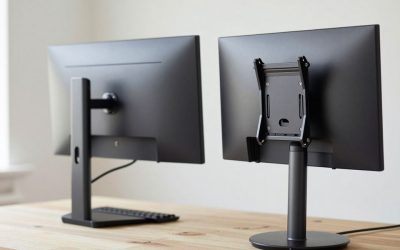
The 32UN880-B pairs a 4K IPS panel with LG’s Ergo stand, which clamps to the desk and lets the screen extend, rotate into portrait mode, and adjust for height, tilt, and pivot without a separate monitor arm purchase. For programmers who occasionally rotate a display to portrait for reading long log files or reviewing a pull request top-to-bottom, that built-in flexibility is a genuine advantage over a fixed desktop stand. It also includes USB-C with power delivery, so a laptop can connect, charge, and drive the display over a single cable.
What to Consider Before Buying
Pixel density matters more for code than most spec sheets suggest. A 4K panel at 27 inches renders text noticeably sharper than the same resolution stretched across 32 inches, since the pixels are packed tighter — if crisp anti-aliased text is your top priority, a smaller 4K panel can actually beat a larger one. If vertical space for reading long files matters more than raw sharpness, a taller 16:10 or 3:2 aspect ratio (like the BenQ RD280U) gives real, measurable extra lines of code without needing higher resolution at all.
Also factor in how many monitors you’re actually running. Two 27-inch 4K monitors side by side can give more usable screen real estate than one 32-inch ultrawide for pure side-by-side code review, while a single large panel reduces bezel interruption in the middle of your view — neither is objectively correct, and it comes down to whether you’d rather have one continuous surface or two independently adjustable ones.
FAQ
Does refresh rate matter for programming?
Not nearly as much as for gaming — a standard 60Hz panel is perfectly comfortable for reading and writing code, so it’s fine to prioritize resolution, panel size, and eye-care features over a higher Hz number.
Is an IPS panel necessary, or will a VA panel work for coding?
IPS is generally preferred for text-heavy work because of its more consistent color and contrast at off-center viewing angles, which matters if you ever glance at the screen from the side rather than sitting dead-center all day.
Should I size up to a 34-inch ultrawide instead of two separate monitors?
Both work well for programming; an ultrawide avoids a bezel gap down the middle but costs more per inch of usable space, while two monitors are cheaper and let you angle each screen independently.
Do I need a monitor with built-in speakers for programming?
Not really — most programmers already use headphones for calls and music, so built-in speakers are a minor convenience rather than a deciding factor between otherwise similar monitors.
Multi-Monitor Setups for Development Work
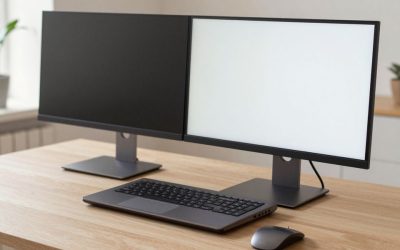
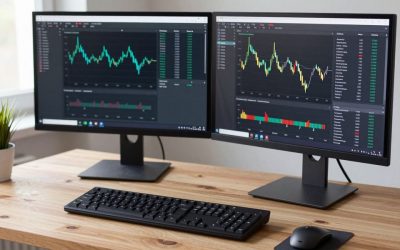
Many developers eventually move beyond a single monitor entirely, running a code editor on one screen and a browser, terminal, or documentation on a second. When planning a multi-monitor desk, matching panel height and bezel style between screens matters more than most people expect — mismatched monitors sitting at different heights force your neck to make small but repeated vertical adjustments throughout the day, which adds up to real fatigue over a full workweek even if neither screen alone feels uncomfortable. A simple monitor arm or a pair of matching stands solves this far more reliably than eyeballing the height by stacking books or boxes under one screen.
It’s also worth thinking about where your eyes spend the most time and placing your primary, highest-quality monitor directly in that position, with secondary reference monitors angled slightly outward. This keeps the screen you read and write code on dead-center and at the correct distance, while reference material stays accessible without being the focal point competing for your attention.
Is it better to run two monitors or one large ultrawide for development work?
Both work well; two separate monitors let you angle each one independently and are usually cheaper for the same total resolution, while a single ultrawide avoids the bezel gap in the middle but costs more per inch of usable screen.
Should my secondary monitor match my primary monitor’s resolution?
It doesn’t have to, but matching resolution (or at least pixel density) keeps text size consistent as your eyes move between screens, which reduces the subtle refocusing effort of switching between a sharp and a noticeably softer display.
More from Amazon
Programs that pair well with the guide above. Offers and eligibility are set by Amazon and may change.
Free shipping on eligible items, Prime Video and more. Eligible new members can start with a free trial.
Start a Prime free trialAudiobooks and podcasts to listen to on the go. Eligible new members can start with a free trial.
Try Audible freeAd-free music streaming. Eligible new subscribers can start with a free trial.
Try Music Unlimited freeA free business account with business pricing and bulk-buying tools for work, shop or home office.
Create a business accountAs an Amazon Associate we earn from qualifying purchases.
Write Your Review
No reviews yet. Be the first to share your experience!