You don’t need a $700 display to get a sharp, comfortable screen for everyday office work — a handful of budget monitors now include ergonomic stands, eye-care features, and even USB-C charging at prices that used to only cover a bare-bones panel. These five monitors are the ones reviewers repeatedly recommend for home offices on a tighter budget.
Acer Vero B247Y G
Named a best budget home-office monitor by multiple reviewers, the Vero B247Y G is a 24-inch 1080p IPS monitor with an exceptional ergonomic stand that adjusts for height, tilt, swivel, and pivot — features often missing on monitors at this price. Its 120Hz refresh rate with adaptive sync is also called out as a standout extra for office or light gaming use.
BenQ GW2786TC
The GW2786TC is frequently recommended as the cheapest monitor that still manages single-cable USB-C laptop charging, paired with a full height-adjustable, pivoting stand that’s rare at this price point. Reviewers also praise its genuinely implemented eye-care features, including flicker-free backlighting.
Philips 241V8LB
At under $90 in most listings, the Philips 241V8LB is described as the workhorse of office displays, with a 23.8-inch 1080p panel and a 100Hz refresh rate that feels noticeably more responsive than the typical 60Hz budget monitor, plus a 4-year advance replacement warranty.
Dell S2725QC
For buyers who want 4K resolution without a premium price tag, the Dell S2725QC pairs a 3840×2160 panel with a USB-C port offering 65W power delivery, letting a single cable carry both picture and laptop charging — a feature usually reserved for pricier UltraSharp models.
Arzopa M1RC
The Arzopa M1RC is highlighted as a strong budget pick thanks to its 27-inch QHD resolution and 180Hz refresh rate, offering sharper text and smoother motion than most monitors in its price bracket, which also makes it a flexible option if the monitor needs to double for light gaming.
At the budget tier, prioritize the stand’s adjustability over extra refresh rate — a monitor you can’t raise to eye level will cause more neck strain over a workday than a slightly lower Hz number ever will.
Sceptre E248W Series
Sceptre’s E248W line has been a go-to budget pick for years precisely because it keeps undercutting competitors on price while still covering the basics — a 24-inch 1080p panel, built-in speakers, and HDMI plus VGA inputs, with newer revisions in the series pushing refresh rates up to 100Hz. It’s a sensible choice for a secondary monitor, a kid’s homework station, or any setup where spending more than the bare minimum on a second screen doesn’t make sense.
What to Consider Before Buying
At the true budget tier, the trade-offs are more about missing conveniences than core image quality — expect fewer ergonomic stand adjustments (often tilt-only, no height or swivel), no USB-C charging, and built-in speakers that are serviceable for notifications but not music or calls. None of that affects basic productivity use, but it’s worth knowing upfront rather than being surprised after unboxing.
If your budget allows even a small step up, prioritize a height-adjustable stand over any other single spec. A monitor you can’t raise to eye level causes more neck strain over a workday than any other budget-tier compromise, and several monitors in this list (Acer Vero, BenQ GW2786TC) solve that specific problem without jumping to a premium price bracket.
FAQ
Is a 75Hz or 100Hz refresh rate noticeable for office work?
It’s a modest but real improvement over 60Hz for scrolling and window dragging, though it matters far less for office tasks than for gaming, so it shouldn’t be a deciding factor if the price difference is significant.
Do budget monitors come with a wall-mount option?
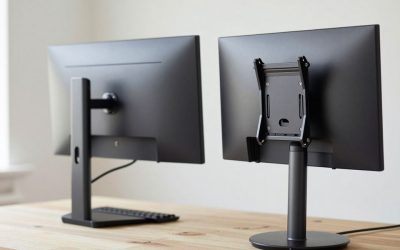
Most include standard VESA mounting holes on the back even at the lowest price tiers, so a wall mount or monitor arm is usually compatible even if the included desktop stand is basic.
Will a budget monitor work fine as a second screen next to a nicer primary monitor?
Yes — many people run a sharper primary monitor for main work alongside a cheaper secondary screen for chat, email, or reference material, where image quality matters less than simply having the extra space.
When a Budget Monitor Is the Right Call
Not every monitor on a desk needs to be a flagship — a secondary display used mainly for chat, email, or reference material gets far less daily scrutiny than a primary monitor you stare at for hours, which is exactly the use case budget monitors are built for. Spending the savings on a better primary monitor or a height-adjustable stand often improves daily comfort more than upgrading a secondary screen that’s rarely the focus of your attention.
Is it worth paying more for a budget monitor with a slightly better stand?
Often yes, since a non-adjustable stand is the single hardest budget-monitor limitation to work around later — a small price increase for a tilt-and-height stand is usually a better use of a limited budget than spending it on marginally better color accuracy.
What You Give Up at the Budget Tier
Budget monitors increasingly match premium panels on core resolution and color accuracy for everyday use, but the gap still shows up in build quality details that don’t appear on a spec sheet — thinner plastic housings, simpler stands, and occasionally less consistent backlight uniformity across the panel compared to pricier models. None of this makes a budget monitor a bad choice, but it’s worth setting expectations accordingly rather than expecting an identical experience to a monitor costing two or three times as much.
Warranty length is also frequently shorter on budget monitors, which is worth factoring into the real cost comparison — a cheaper monitor with a one-year warranty versus a pricier one with three years of coverage isn’t quite as large a price gap as the sticker prices alone suggest.
Do budget monitors have worse color accuracy than premium ones?
Generally yes, though the difference matters far more for color-critical work like photo editing than for everyday office tasks like email, spreadsheets, and web browsing, where most people won’t notice the gap.
More from Amazon
Programs that pair well with the guide above. Offers and eligibility are set by Amazon and may change.
Free shipping on eligible items, Prime Video and more. Eligible new members can start with a free trial.
Start a Prime free trialAudiobooks and podcasts to listen to on the go. Eligible new members can start with a free trial.
Try Audible freeAd-free music streaming. Eligible new subscribers can start with a free trial.
Try Music Unlimited freeA free business account with business pricing and bulk-buying tools for work, shop or home office.
Create a business accountAs an Amazon Associate we earn from qualifying purchases.
Write Your Review
No reviews yet. Be the first to share your experience!