Key takeaways
- Pros: Sharp 1000R curve for immersion; QHD resolution gives more usable desktop space than 1080p; smooth 144Hz feels great for scrolling and video.
- Cons: VA panel has narrower viewing angles than IPS; no USB-C or height-adjustable stand included.
A curved monitor wraps the edges of the screen slightly toward you, which reduces the head-turning and eye-refocusing you’d otherwise do scanning a flat ultrawide panel. For home-office work that mixes spreadsheets, browser tabs, video calls, and the occasional game on a lunch break, a curved display can feel noticeably less fatiguing over an 8-hour day. The key specs to watch are curvature radius (lower numbers like 1000R curve tighter, closer to the natural curve of the human eye), resolution, refresh rate, and panel type (VA panels dominate this category for contrast, while QD-OLED options are now reaching consumer price points).
Samsung Odyssey G5 32″ (LC32G55TQWNXZA)
This 32-inch VA panel uses Samsung’s 1000R curve, the tightest curvature on the market, paired with a 2560×1440 QHD resolution and a 144Hz refresh rate with a 1ms response time. It supports AMD FreeSync Premium for tear-free motion, which also helps with smooth scrolling during everyday office work, not just gaming.
- Pros: Sharp 1000R curve for immersion; QHD resolution gives more usable desktop space than 1080p; smooth 144Hz feels great for scrolling and video.
- Cons: VA panel has narrower viewing angles than IPS; no USB-C or height-adjustable stand included.
LG 32MR50C-B
A budget-friendly 32-inch curved monitor with a 1500R curve, 1920×1080 Full HD resolution, and a 100Hz refresh rate. It’s aimed at buyers who want the comfort of a curved screen for document work and web browsing without paying for QHD or higher refresh rates.
- Pros: Low price for a 32-inch curved display; 100Hz is a step up from standard 60Hz for everyday smoothness.
- Cons: 1080p resolution looks soft stretched across 32 inches; limited for detailed spreadsheet or multi-window work.
Dell 34 Plus S3425DW
This 34-inch curved ultrawide uses a 1500R curve and 3440×1440 WQHD resolution, giving enough horizontal real estate to replace a dual-monitor setup for many people. It includes USB-C with 65W power delivery (handy for charging a laptop through a single cable) and a height-adjustable stand.
- Pros: Single-cable USB-C docking simplifies desk setup; WQHD ultrawide resolution is great for side-by-side documents; height-adjustable stand out of the box.
- Cons: Ultrawide aspect ratio needs desk depth to sit at a comfortable distance; pricier than standard 16:9 monitors.
Samsung Odyssey OLED G9 49″ (LS49CG954SNXZA)
The most immersive option here: a 49-inch QD-OLED panel at 5120×1440 (roughly two 27-inch QHD screens side by side), a 240Hz refresh rate, and a 0.03ms response time. It’s built for anyone who wants one giant curved screen to fully replace a multi-monitor desk.
- Pros: QD-OLED delivers true blacks and vivid color; massive 5120×1440 canvas genuinely replaces two monitors; ultra-fast response time.
- Cons: Premium price; OLED panels need some care around static-image burn-in with office software left on screen for long stretches; needs a strong GPU/laptop to drive 240Hz at that resolution for any gaming use.
How to Choose
If your desk is shallow or you sit close to the screen, prioritize a tighter curve (1000R-1500R). If you mostly do document and spreadsheet work, resolution matters more than refresh rate — QHD or WQHD will look noticeably sharper than 1080p stretched over 32+ inches. If you’re trying to replace two monitors with one screen, look at ultrawide or super-ultrawide (32:9) curved panels rather than standard 16:9 curved displays, since the extra width is what actually gives you the multi-window space.
FAQ
Is a curved monitor worse for photo or video editing than a flat one?
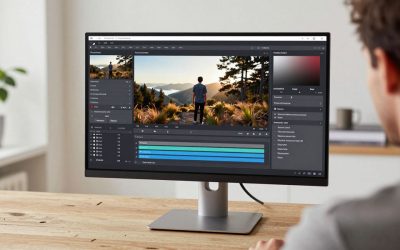
Not inherently, but very tight curves can introduce slight distortion at the edges for pixel-precise work. For color-critical editing, a flat, color-calibrated panel is usually the safer choice.
Do I need a special monitor arm for a curved monitor?
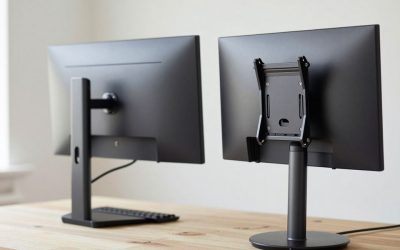
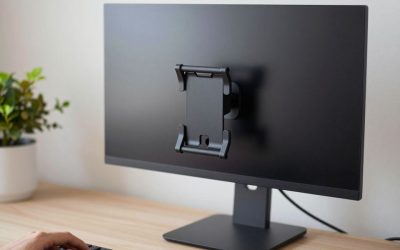
Standard VESA-compatible arms work fine as long as the arm’s weight rating matches the monitor, since curved panels — especially large ultrawide and super-ultrawide models — tend to be heavier than flat monitors of the same diagonal size.
Will a 1080p curved monitor look blurry at 32 inches?
It will look noticeably less sharp than a 1440p or 4K panel at the same size, since the pixels are stretched over more physical screen area. It’s fine for casual browsing and video, less ideal for text-dense spreadsheet work.
Another Option Worth a Look: LG 34WN80C-B
The 34WN80C-B brings a gentler 1500R curve to a 34-inch 21:9 WQHD panel, with 99% sRGB coverage and USB-C power delivery for single-cable laptop docking — a more productivity-leaning alternative to the gaming-oriented Odyssey G5 above. Its 3-side virtually borderless design also makes it a cleaner-looking choice if two of these monitors ever end up side by side on a wider desk.
- Pros: USB-C with power delivery simplifies cabling; wide 21:9 canvas suits side-by-side document work; height-adjustable stand included.
- Cons: 60Hz refresh rate (versus 144Hz on the Odyssey G5) feels less snappy for any gaming use; WQHD resolution, while sharp, isn’t 4K.
One More Thing to Weigh
Panel coating affects glare more than most buyers expect from a curved screen. Matte, anti-glare coatings (common across most office-oriented curved monitors, including this one) handle bright rooms and window light better than glossier gaming-focused panels, which can show distracting reflections on a curve more readily than on a flat screen because of the way light bounces off the concave surface.
Does a curved monitor need a special desk setup?
Not a special setup exactly, but a bit more desk depth than a flat monitor of the same size, since the curve adds a few inches of physical depth beyond a flat panel’s footprint — measure before buying if your desk is shallow.
More from Amazon
Programs that pair well with the guide above. Offers and eligibility are set by Amazon and may change.
Free shipping on eligible items, Prime Video and more. Eligible new members can start with a free trial.
Start a Prime free trialAudiobooks and podcasts to listen to on the go. Eligible new members can start with a free trial.
Try Audible freeAd-free music streaming. Eligible new subscribers can start with a free trial.
Try Music Unlimited freeA free business account with business pricing and bulk-buying tools for work, shop or home office.
Create a business accountAs an Amazon Associate we earn from qualifying purchases.

Write Your Review
No reviews yet. Be the first to share your experience!