Both a monitor arm and a monitor stand get your screen off the desk surface and up to eye level, but they solve that problem in opposite ways — one clamps to the back of your desk and floats the screen in the air, the other sits flat on the desk and gives you storage space underneath. Here’s how to tell which one actually fits your setup.
Monitor Arms: Ergotron LX and HUANUO Single Monitor Arm
The Ergotron LX uses a gas-spring (constant force) mechanism that lets you push a monitor up, down, or side to side with one hand and have it stay exactly where you left it. It frees the entire desk surface underneath the screen, which matters most if you’re tight on desk depth or want to slide a keyboard all the way back when not typing.
Pros: full desk surface freed up underneath, smooth one-hand height and angle adjustment, long warranty coverage. Cons: requires desk clamp or grommet mounting, costs more than a static stand.
The HUANUO Single Monitor Arm is the budget route into the same mounting style — a mechanical spring arm rather than Ergotron’s constant-force gas spring, built for lighter monitors. It’s a straightforward, affordable way to get a monitor off the desk without paying for Ergotron’s premium mechanism.
Monitor Stands: ROCDEER Bamboo Monitor Stand and Fenge Dual Monitor Stand Riser
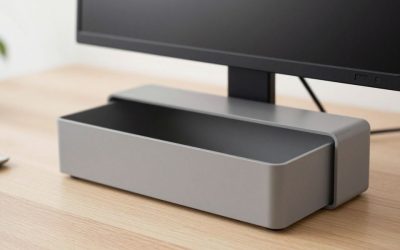
The ROCDEER Bamboo Monitor Stand raises a single monitor to a fixed height while adding a drawer and lower storage tier underneath — instead of freeing desk space, it reclaims the dead space under your screen for things like a keyboard, notebook, or cables. No clamping, no tools, no desk modification required.
Pros: no installation or desk clamping, adds real storage instead of just height, works on any flat desk. Cons: fixed height only, takes up desk depth a floating arm wouldn’t.
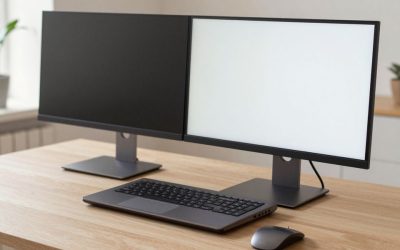
For a wider dual-monitor setup, the Fenge Dual Monitor Stand Riser spans both screens on a single wide platform with multiple storage compartments and a device slot, which keeps a two-monitor desk from needing two separate stands or arms.
Dual-Monitor Arm Alternative: VIVO Dual Monitor Desk Mount
If you want the desk-freeing benefit of an arm but run two screens, the VIVO Dual Monitor Desk Mount is a single C-clamp base that splits into two independently adjustable arms, so each screen gets its own height, tilt, and swivel instead of being locked to a shared crossbar like some dual-stand risers. It’s a middle path between buying two separate single-monitor arms and committing to a fixed dual stand.
Pros: both screens adjust independently from one clamp base, frees desk space like a single arm, generally cheaper than two separate premium arms. Cons: combined weight rating must cover both monitors at once, and the dual-arm assembly takes up a bit more clamp space at the back of the desk than a single arm.
Which Upgrade Should You Make?
Choose an arm if desk space is tight and you want the surface underneath your monitor completely free, or if you frequently adjust your monitor’s height and angle through the day. Choose a stand if you want extra storage more than extra desk space, don’t want to clamp anything to your desk, or you’re setting up in a rental where you’d rather avoid drilling or clamping hardware altogether.
Buying tip: check your desk’s thickness and edge style before buying an arm — C-clamp mounts need a specific range of desk edge thickness, and grommet mounts need an existing or drillable hole.
Setup Time and Desk Damage Risk
It’s worth being honest about install difficulty, since this is where a lot of buyers get caught off guard. A C-clamp monitor arm typically installs in a few minutes with no tools beyond what’s included, and leaves no permanent marks if removed later — but a grommet-mount version requires either an existing cable hole in your desk or drilling a new one, which is a real commitment on a desk you don’t own or plan to keep. A monitor stand, by contrast, has effectively zero setup risk: it’s furniture, not hardware, so there’s nothing to install beyond unboxing it and setting your screen on top.
This matters most for renters or anyone using a desk that isn’t fully theirs — a stand is the lower-risk choice when you can’t guarantee you’ll have the same desk in a year, while an arm is the better long-term investment if you own your desk and expect to keep the same setup for years.
Weight Ratings and VESA Compatibility
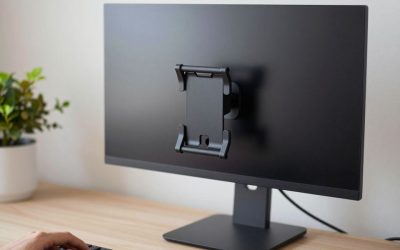
Before buying either style, check two specs that get overlooked more than any other: the arm or stand’s weight rating, and whether your monitor actually has a VESA mounting pattern on the back (most do, usually 75x75mm or 100x100mm, but some all-in-one and budget monitors don’t). A gas-spring arm like the Ergotron LX is rated for a specific weight range — mount a monitor below that range and the arm won’t hold position; mount one above it and the arm can’t support the weight at all, causing it to drift downward over time. Stands have no such mechanical range to worry about since the monitor just sits on a flat surface, which is one more reason they’re the simpler option if you’re not confident about your exact monitor weight.
FAQ
Can I use a monitor arm and a stand together?
Not usually in a meaningful way — an arm is meant to replace the need for a stand. If you want storage under a monitor that’s also arm-mounted, a slim drawer organizer under the desk does the job better than a stand would.
Do monitor arms work with curved or ultrawide monitors?
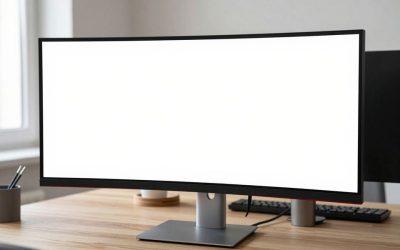
Many do, but check the weight rating carefully — ultrawide and curved panels are often heavier than standard monitors, and a lightweight arm rated for 17 lbs won’t hold a 10+ lb ultrawide safely at full extension.
Which option is easier to move to a new desk later?
A stand, by a wide margin — pick it up and set it on the new desk. A clamp-mounted arm transfers easily too, but a grommet-mounted arm leaves a hole behind and needs a compatible mounting point on the new desk.
Does my monitor need a VESA mount to use an arm?
Yes — the monitor needs a VESA-pattern mounting plate on the back (commonly 75x75mm or 100x100mm) to bolt onto an arm. Most monitors from the last decade include this, but it’s worth confirming on the spec sheet before buying an arm, since a handful of ultra-slim or all-in-one displays omit it.
Is a dual-arm mount worth it over two separate single-monitor arms?
A dual mount like the VIVO option is usually cheaper and uses one clamp point instead of two, which matters on a desk with limited edge space, but two separate single arms give you more independent reach if your monitors sit far apart or at very different heights.
FAQ
Which Upgrade Should You Make?
Can I use a monitor arm and a stand together?
Do monitor arms work with curved or ultrawide monitors?
Which option is easier to move to a new desk later?
Does my monitor need a VESA mount to use an arm?
Is a dual-arm mount worth it over two separate single-monitor arms?
More from Amazon
Programs that pair well with the guide above. Offers and eligibility are set by Amazon and may change.
Free shipping on eligible items, Prime Video and more. Eligible new members can start with a free trial.
Start a Prime free trialAudiobooks and podcasts to listen to on the go. Eligible new members can start with a free trial.
Try Audible freeAd-free music streaming. Eligible new subscribers can start with a free trial.
Try Music Unlimited freeA free business account with business pricing and bulk-buying tools for work, shop or home office.
Create a business accountAs an Amazon Associate we earn from qualifying purchases.




Write Your Review
No reviews yet. Be the first to share your experience!