A good monitor arm does more than free up desk space — it lets you get your screen to the correct height and distance for your eyes and neck, which a fixed stand often can’t achieve. The best arms use gas-spring or spring-tension mechanisms for smooth, tool-free adjustment and are rated to handle the weight of modern monitors, including large ultrawide and curved panels. These five arms are the ones that keep showing up across independent testing roundups.
Ergotron LX Single Monitor Arm
The Ergotron LX is one of the most widely recommended single-monitor arms, known for a durable, long-lasting build backed by a 10-year warranty and smooth gas-spring adjustment that holds position reliably over years of daily use. It supports monitors up to roughly 25 to 34 inches depending on the configuration, making it a safe pick for most standard setups.
Ergotron HX Monitor Arm
For heavier or ultrawide monitors, the HX is frequently recommended as a more capable alternative to the LX, with a higher weight capacity built to handle large curved and ultrawide displays without sagging. Reviewers note it offers similar long-term reliability and warranty coverage to the LX at a price that’s often notably lower than some premium competitors.
Humanscale M10 Monitor Arm
The Humanscale M10 is consistently named a top premium pick thanks to a dynamic, counterbalanced mechanism that lets you reposition the monitor with almost no effort, along with a 10-year warranty. It’s pricier than most alternatives, but reviewers describe it as one of the smoothest and most reliable arms they’ve tested for everyday repositioning.
HUANUO Gas Spring Monitor Arm
HUANUO’s gas-spring arms are a go-to budget recommendation, backed by tens of thousands of Amazon reviews and praised for solid adjustability at a fraction of the cost of premium brands. They typically support monitors in the 17 to 35-inch range and include tilt, swivel, and height adjustment, which covers the needs of most home office setups.
VIVO Dual Monitor Desk Mount
For anyone running a two-monitor setup, VIVO’s dual mounts are repeatedly cited as a reliable, affordable option that lets each screen move independently. They clamp or grommet-mount to most desks and are a popular pick specifically because they let you angle two monitors toward each other for a more ergonomic multi-screen layout.
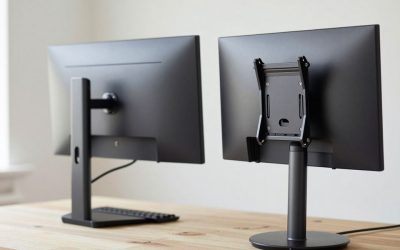
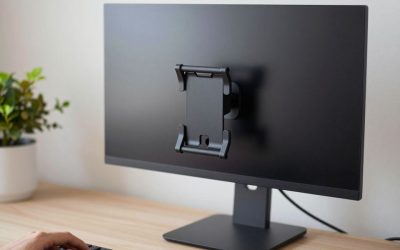
Before buying, double-check your monitor’s VESA mount pattern (usually 75x75mm or 100x100mm) and your desk thickness, since most arms need a clamp or grommet hole to attach securely.
NB North Bayou F80 Single Monitor Arm
North Bayou’s F80 is a budget-friendly gas-spring arm that covers roughly 17 to 27-inch monitors with a weight range up to about 14.3 lbs, using the same 75x75mm/100x100mm VESA pattern as the pricier Ergotron and Humanscale arms above. It won’t match their long-term smoothness after years of daily repositioning, but for a single standard monitor it offers the same core benefit — full height, tilt, and swivel adjustment — at a fraction of the price, which is why it shows up so often as the budget pick in comparison roundups.
What to Consider Before Buying
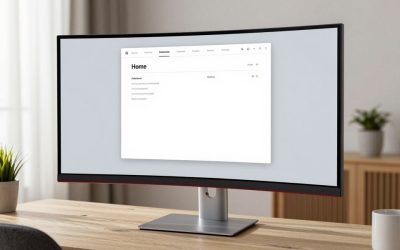
Gas-spring arms rely on an internal spring tensioned to a specific weight range, and mismatching your monitor’s actual weight against that range is the most common complaint in arm reviews — too light and the monitor won’t hold position, too heavy and it sags or drifts downward over time. Weigh your monitor (check the spec sheet rather than guessing from screen size) before buying, especially for curved or ultrawide panels, which are routinely heavier than flat monitors of the same diagonal measurement.
Clamp-mount arms need a reasonably thin desktop edge to grip, typically under about 3.5 inches; thicker desks, glass desktops, or decorative edge trim may require a grommet-hole mount instead, which most arms, including the models above, offer as an alternative in the box.
FAQ
Will a monitor arm fit a desk with a raised back lip or hutch?
It depends on the clamp depth and how much flat clearance exists behind the desktop edge — measure the obstruction before buying, since a hutch or raised edge can block the clamp from seating properly.
Can I use a monitor arm without any VESA mounting holes on my monitor?
Almost all monitors from the last decade include VESA mounting holes on the back, but a handful of ultra-thin or all-in-one displays don’t — check your monitor’s spec sheet for “VESA mount compatible” before assuming an arm will work.
Is a more expensive arm actually smoother, or is that just marketing?
It’s a real difference — premium arms like the Humanscale M10 use counterbalanced mechanisms that move with almost no resistance, while budget gas-spring arms require a firmer push and can feel stiffer after a few years of daily adjustment.
Can a monitor arm reduce neck and shoulder strain on its own?
It helps significantly by letting you dial in the exact height and distance for your eyes, but it works best combined with an otherwise correctly set up chair and desk height, not as a standalone fix.
Is it hard to switch a monitor between an arm and its original stand?
Not usually — most people remove the original stand once an arm is installed and keep it in storage in case they ever sell the monitor or need to swap the arm out, since removing four VESA screws takes only a couple of minutes.
More from Amazon
Programs that pair well with the guide above. Offers and eligibility are set by Amazon and may change.
Free shipping on eligible items, Prime Video and more. Eligible new members can start with a free trial.
Start a Prime free trialAudiobooks and podcasts to listen to on the go. Eligible new members can start with a free trial.
Try Audible freeAd-free music streaming. Eligible new subscribers can start with a free trial.
Try Music Unlimited freeA free business account with business pricing and bulk-buying tools for work, shop or home office.
Create a business accountAs an Amazon Associate we earn from qualifying purchases.

Write Your Review
No reviews yet. Be the first to share your experience!