Ultrawide monitors range from under $200 to well over $1,500, and the gap isn’t just marketing — panel technology, refresh rate, and color accuracy all shift meaningfully as you move up the price ladder. Here’s what you actually get at each tier.
Budget Tier: Sceptre C345B-QUT168
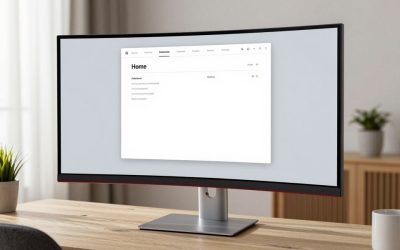
The Sceptre C345B-QUT168 is a 34-inch curved WQHD (3440×1440) VA panel running at 165Hz with a 1ms response time and wide color coverage, priced well under $200. For a home office upgrade from a standard 24-inch monitor, it delivers a dramatically wider workspace for a fraction of what premium ultrawides cost.
Pros: very low price for the screen size and resolution, high refresh rate for a budget panel, strong color coverage for a VA display. Cons: VA panel means slower response and more noticeable smearing in fast motion than the OLED tier below, no USB-C power delivery.
Mid-Range Tier: Dell S3425DW
The Dell S3425DW sits between budget VA panels and premium OLED screens — built specifically for productivity rather than gaming, with a focus on consistent color and comfortable all-day viewing rather than chasing refresh-rate numbers. It’s a sensible stop if an OLED ultrawide feels like overkill for spreadsheet and document work.
Premium Tier: LG UltraGear 45GX900A-B
The LG UltraGear 45GX900A-B is a 45-inch curved OLED ultrawide running 3440×1440 at up to 240Hz with a 0.03ms response time, DisplayHDR True Black 400, and 65W USB-C power delivery that can charge a laptop through the same cable carrying video. The OLED panel delivers per-pixel contrast and color that no VA or IPS panel at this size can match.
Pros: OLED contrast and color accuracy, near-instant response time, USB-C power delivery simplifies cabling for a single-cable laptop dock setup. Cons: priced well above a thousand dollars even on sale, OLED panels carry some long-term burn-in risk with static on-screen elements (taskbars, browser UI) left in place for extended periods.
Super Ultrawide Tier: Samsung Odyssey Neo G9 (G95NC)
If 34–45 inches still isn’t enough screen, the Samsung Odyssey Neo G9 (G95NC) is a 57-inch, 32:9 super-ultrawide running 7680×2160 (effectively two 4K screens side by side) on a Mini-LED backlight with 1000R curvature, 240Hz refresh, and DisplayHDR 1000. It’s genuinely a different category from the 34–45 inch panels above — closer to a dual-monitor replacement than a wide single screen.
Pros: replaces a two-monitor setup with one bezel-less panel, Mini-LED backlight gives far better HDR brightness and contrast than a standard VA panel, extremely high resolution for multitasking. Cons: needs serious desk depth and a sturdy arm or stand given its size and weight, priced well above even the OLED premium tier, DisplayPort 2.1 or a capable graphics card is needed to drive the full resolution and refresh rate.
Is the Upgrade Worth It?
If your work is mostly text, spreadsheets, and browser tabs, the Sceptre’s extra screen real estate does the heavy lifting and the OLED’s superior color won’t change your day-to-day experience much. The upgrade pays off clearly for photo/video editing, color-sensitive design work, or if you want a single USB-C cable to both power your laptop and drive the display. The Dell is the honest middle ground if you want better build and color consistency than a budget VA panel without paying OLED prices.
Buying tip: if you go OLED, enable your OS’s taskbar auto-hide and vary your window layout — static UI elements left in the same pixels for months are the main cause of OLED burn-in on productivity monitors.
Desk Space and Viewing Distance
A 34-inch and a 45-inch ultrawide need very different amounts of desk depth to view comfortably. The Sceptre’s 34-inch curve is manageable at a typical 24–28 inch viewing distance on most desks, but the LG’s 45-inch panel is genuinely large — you’ll want at least 30 inches of desk depth and ideally a monitor arm rather than the included stand to push the screen back far enough that the edges don’t feel distorted by the curve. Measure your actual desk depth before assuming a bigger panel is automatically better; an oversized ultrawide on a shallow desk can feel worse than a well-sized 34-inch screen at the correct distance.
Multi-tasking window layout also behaves differently at each size. A 34-inch WQHD panel comfortably fits two full-width windows side by side. The 45-inch 5K2K-class panel can realistically hold three, which is the practical reason video editors and multi-app power users gravitate toward the larger premium tier rather than just wanting a bigger screen for its own sake.
FAQ
Is 165Hz enough for office work on an ultrawide?
Yes — refresh rate above 60Hz mostly matters for gaming and fast scrolling smoothness. For document and spreadsheet work, resolution and panel color matter far more than refresh rate.
Do OLED monitors need special care for office use?
Mostly just avoiding the same static image for very long stretches at high brightness. Normal office use with varied windows and auto-hiding taskbars is low-risk.
Does screen curve make text harder to read at the edges?
On a tightly curved panel viewed too close, yes — straight lines near the far edges can look slightly bent. Sitting at the recommended viewing distance for the panel size mostly eliminates this.
Do I need a new graphics card to drive an ultrawide?
For the Sceptre or Dell tier, most graphics cards from the last several years handle 3440×1440 without issue. The 57-inch Odyssey Neo G9’s 7680×2160 resolution at high refresh rates is more demanding and benefits from a higher-end GPU with DisplayPort 2.1 to use its full bandwidth.
How much desk depth do I actually need for each tier?
As a rough guide: 24–28 inches works for the 34-inch Sceptre or Dell, 30+ inches is recommended for the 45-inch LG, and the 57-inch Samsung is comfortable only on a deep desk (36 inches or more) or pushed back with a monitor arm — measure before buying rather than assuming your current desk will work for the larger tiers.
FAQ
Is the Upgrade Worth It?
Is 165Hz enough for office work on an ultrawide?
Do OLED monitors need special care for office use?
Does screen curve make text harder to read at the edges?
Do I need a new graphics card to drive an ultrawide?
How much desk depth do I actually need for each tier?
More from Amazon
Programs that pair well with the guide above. Offers and eligibility are set by Amazon and may change.
Free shipping on eligible items, Prime Video and more. Eligible new members can start with a free trial.
Start a Prime free trialAudiobooks and podcasts to listen to on the go. Eligible new members can start with a free trial.
Try Audible freeAd-free music streaming. Eligible new subscribers can start with a free trial.
Try Music Unlimited freeA free business account with business pricing and bulk-buying tools for work, shop or home office.
Create a business accountAs an Amazon Associate we earn from qualifying purchases.

Write Your Review
No reviews yet. Be the first to share your experience!