
Key takeaways
- A cable box hides the power strip, but brick height, vents and switch access decide if it works. See what to measure first, plus five desk companions.
Every tidy desk has a messy secret, and it usually sits on the floor beneath it: a power strip loaded with plugs, adapter bricks, and a knot of cables spilling in every direction. A cable management box is the simplest way to hide that corner. The strip and its bricks go inside, the lid goes on, and the cables leave through neat slots instead of spreading across the floor. It is a small change, but often the difference between a finished-looking desk and a mid-project one.
To be clear about what follows: none of the five picks in this guide is itself a cable box. They are companions around the tidy power corner — small accessories that keep cables routed, the room lit, gear mounted, and a laptop protected while the box works underneath. The advice below starts with choosing the box itself, because the wrong size or a sealed lid can turn a tidy idea into a warm, frustrating one.
As an Amazon Associate, we earn from qualifying purchases.
How to Choose a Cable Box for Your Desk
Measure the Loaded Strip, Not the Empty One
The most common cable box mistake is measuring the power strip on its own. Boxes rarely fail on strip length; they fail on brick height. Plug everything in first — the strip, the monitor brick, the laptop adapter, the chunky wall-wart — and then measure the tallest point of that loaded arrangement. Adapters side by side also widen the footprint. Measure the working setup, add breathing room, and compare against the box’s internal dimensions. A box that fits the strip but not the bricks is just an expensive lid with nowhere to sit.
Ventilation Is Not Decoration
Power bricks get warm, and warm bricks sealed inside an airtight box age faster and can shut down or fail early. Vented lids and slotted sides are functional, not decorative. Look for real airflow paths: lid slots, openings at both ends, or a raised lid that lets heat escape. Put the warmest brick near an opening rather than buried in the middle. A cable box should hide the strip, not cook it.
Keep the Switch Reachable
A power strip’s switch is useless if using it means lifting the lid and fishing around inside every time. Before buying, picture the routine: the strip’s switch should line up with a cable slot or an open end so a finger can reach it without opening anything. Decide the arrangement before the box arrives, because a switch buried inside a closed box trains everyone to leave everything on — which defeats half the point of having a switch at all.
One Box, One Strip — Never Daisy-Chain
This rule is plain and worth stating plainly: one cable box holds one power strip, and a power strip should never be plugged into another power strip. Daisy-chaining strips is a genuine overload and fire risk, and no amount of tidy boxing makes it safe. If the desk has outgrown one strip, the honest fixes are a single longer strip with enough sockets, or a second strip on its own wall outlet in its own box.
Floor Boxes Collect Dust — Plan the Clean
A box on the floor lives in the dust zone. It will collect dust, pet hair, and the occasional stray crumb. This is not a reason to skip the box; it is a reason to schedule a quick clean. Every month or two, lift the lid, shake out the box, wipe the strip, and check cable jackets for pinches or cracks at the slots. Five minutes, a few times a year, keeps the tidy corner tidy.
A Box Hides the Strip, Not the Whole Mess
Set expectations honestly: a cable box hides the power strip and its bricks. It does not fix the rat’s nest running from desk to strip, nor cables wandering across the desktop. The box is one piece of a system. The runs between devices and the box still need routing — clips, sleeves, or a simple under-desk tray. Pair it with basic routing for the rest, and the whole corner comes together.
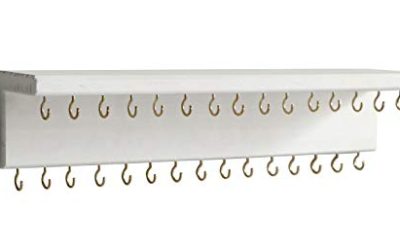
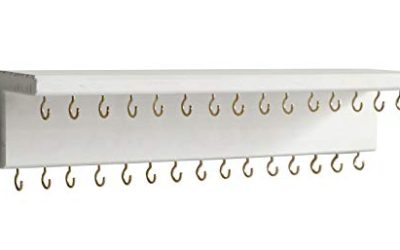
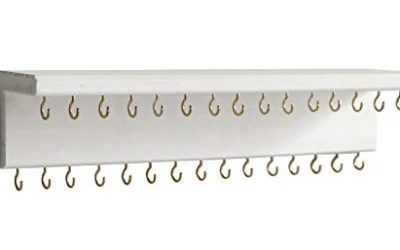
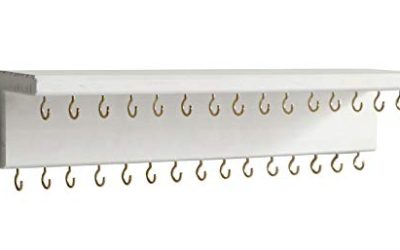
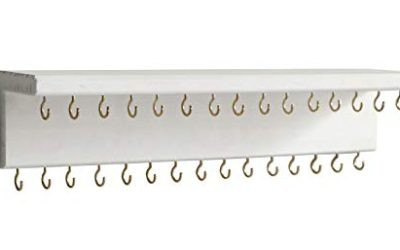
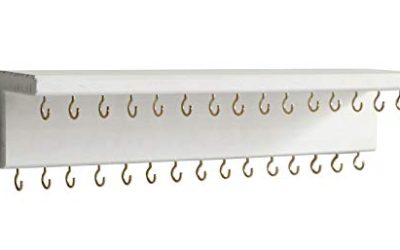
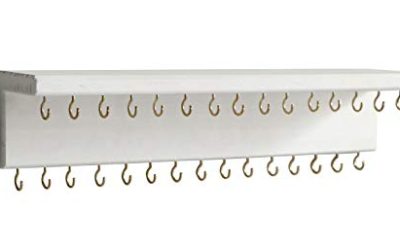
SANY DAYO Jewelry Organizer With 30 Hooks

Beside a desk, this jewelry organizer earns its place as a light-duty rail for the small things that otherwise vanish into the cable corner. Headphone leads, spare charging cables, lanyards, and cable ties hang neatly in view instead of tangling on the floor next to the power strip: hidden power below in the box, everyday small cables within reach above it.
Be honest about its limits. This is a light-duty rail for cables, lanyards, and light accessories only. It should never be asked to hold consoles, drives, power bricks, or heavy tools, and it is not a shelf for the power strip — the strip belongs in the cable box or on a proper surface, full stop. Used for what it is good at, the 30 hooks order exactly the small, easily lost items that make a corner look messy.
Specs
- Product: SANY DAYO jewelry organizer with 30 hooks
- Format: Wall-mounted hook rail
- Best role: Hanging light cables, lanyards, and small accessories
- Load note: Light-duty only; not for bricks, drives, consoles, or tools
HEKEE Dusk to Dawn Light Bulbs, A19

The corner under a desk is dark, and the room around a tidy setup often is too. These A19 bulbs carry a dusk-to-dawn sensor that switches them on automatically as the room darkens and off again when daylight returns — a set-and-forget answer for a hallway, porch, or home office door lamp. No app, no hub, no schedule — the sensor does the whole job.
That simplicity comes with clear boundaries. These are plain automatic sensor bulbs; they are explicitly not smart bulbs, so there is no dimming, color control, or voice control, and they are not task lighting — focused light for desk work should still come from a proper desk lamp. In windowless rooms, where the sensor never sees daylight, they may stay on continuously, so they suit those spaces only if that is acceptable. Before screwing one into an enclosed fixture, check that the fixture and bulb are rated for enclosed use. Within those honest limits, they quietly handle the ambient light around the desk.
Specs
- Product: HEKEE dusk to dawn light bulbs, A19 base
- Format: LED bulbs with built-in light sensor
- Behavior: On at dusk, off at dawn, automatically
- Notes: Not smart bulbs; not task lighting; check enclosed-fixture rating
ULANZI Super Clamp

Cable corners attract small mounting jobs: a webcam that needs a better angle, a small light panel aimed at the desk, a phone held up for calls. The ULANZI super clamp is the tool for those jobs. Its jaws grip a desk edge, shelf, or pole, and its mounting points hold the accessory in place. It is a mount only — it has no light, phone, or camera of its own — and simply holds your existing gear where you point it.
Two habits make clamp use safe. First, pad the jaws when gripping finished surfaces, so the bite does not mark wood or paint. Second, never clamp a monitor screen — screens are not load-bearing, and a clamp on a panel can crack the display. Clamp the desk, a shelf, or a stand instead. Around a cable box setup, the clamp keeps cameras and small lights up off the desk surface, so fewer cables drape across the workspace.
Specs
- Product: ULANZI super clamp
- Format: Clamp mount for small accessories
- Includes: Mount only — no light, phone, or camera
- Notes: Pad the jaws on finished surfaces; never clamp a monitor screen
tomtoc Laptop Case

A laptop that travels between desk, couch, and bag spends its unplugged hours somewhere, and a padded case is the difference between it resting safely and it collecting knocks. This tomtoc case wraps the machine in soft padding, making it a sensible home for the laptop at the edge of the desk — and a defined place for its charger cable instead of the floor tangle near the power strip.
Know what a case like this is and is not. It is a padded soft case, not a hard shell, so it protects against bumps, scratches, and everyday jostling rather than drops or crushing weight. It is not waterproof; a spill or a rainy commute calls for more than this. Fit matters most: check the case’s internal dimensions against the laptop’s actual measurements before ordering — a too-tight case stresses zippers, and a loose one lets the machine slide. Matched correctly, it keeps the laptop and its cable together and out of the cable box’s territory.
Specs
- Product: tomtoc laptop case
- Format: Padded soft carrying case
- Protection: Bumps and scratches; not a hard shell
- Notes: Not waterproof; verify internal dimensions against the laptop
Hi-Lyte Electrolyte Drops

Long desk sessions have a quiet failure mode: hours pass, the water glass stays full, and the afternoon arrives with a headache and flat energy. These electrolyte drops exist for that gap — a few drops turn a plain glass of water into an electrolyte drink, which helps some people actually drink during long desk stretches.
The claims here should stay modest, because the product is modest. These drops are not a medicine, an energy product, or a treatment for anything. Plain water is fine for most people, most of the time, and no drop changes that. Follow the directions on the label for serving size rather than improvising, and anyone with a medical condition — particularly anything involving kidneys, blood pressure, or fluid balance — should ask a clinician before using electrolyte products regularly. As a simple hydration habit aid, the drops sit comfortably in the desk drawer.
Specs
- Product: Hi-Lyte electrolyte drops
- Format: Liquid drops added to water
- Use: Follow label directions for serving
- Notes: Not a medicine or treatment; plain water suits most people; medical conditions warrant a clinician’s advice
Frequently Asked Questions
How do I know what size cable box to buy?
Measure the power strip fully loaded — every plug and brick in place — and note the length, width, and especially the height of the tallest brick. Then compare those numbers against the box’s internal dimensions, not its outer ones, and leave a little room on all sides for cables to bend without being pinched.
Can I put two power strips in one cable box?
No. One box holds one strip. Plugging one strip into another — daisy-chaining — is an overload risk and should never be done, inside a box or out of one. For more sockets, use one strip with more outlets, or a second strip with its own outlet and box.
Will a cable box make my power bricks overheat?
It can if the box is sealed and crowded. Choose a box with vented lids or slotted sides, avoid packing bricks together, and place the warmest brick near an opening. If a brick feels very hot, give it more air rather than a closed lid.
Does a cable box organize all my desk cables?
Only the ones connected to the strip inside it. The box hides the strip and its bricks; cable runs between devices and the box still need clips, sleeves, or a tray, and desktop cables need their own routing. The box is the foundation of a tidy corner, not the whole system.
Final Verdict
The best cable box is the one sized for your loaded strip, vented for your warmest brick, and arranged so the switch stays reachable — with one strip inside it, never two chained together. Get those four things right and the messiest corner of the desk disappears from view. The five companions here support that result from the edges: a light-duty hook rail for small cables, automatic bulbs for ambient light, a clamp to lift gear off the desk, a padded case for the laptop and its charger, and a modest hydration habit for the person doing the tidying. None of them is the box, and that is exactly the point — a tidy power corner is a small system, and each piece does its one job honestly.
Product and ASIN Reference
| Product | ASIN | Role in the Setup |
|---|---|---|
| SANY DAYO jewelry organizer, 30 hooks | B07QFZSVQW | Light-duty rail for cables and small accessories |
| HEKEE dusk to dawn light bulbs, A19 | B07HGZMYZ4 | Automatic ambient lighting for the room |
| ULANZI super clamp | B09C882D4M | Mount for a camera, phone, or small light |
| tomtoc laptop case | B073TVX735 | Padded protection for the laptop and its cable |
| Hi-Lyte electrolyte drops | B01MXDAHIB | Hydration habit aid for long desk sessions |
FAQ
How do I know what size cable box to buy?
Can I put two power strips in one cable box?
Will a cable box make my power bricks overheat?
Does a cable box organize all my desk cables?
More from Amazon
Programs that pair well with the guide above. Offers and eligibility are set by Amazon and may change.
Free shipping on eligible items, Prime Video and more. Eligible new members can start with a free trial.
Start a Prime free trialAudiobooks and podcasts to listen to on the go. Eligible new members can start with a free trial.
Try Audible freeAd-free music streaming. Eligible new subscribers can start with a free trial.
Try Music Unlimited freeA free business account with business pricing and bulk-buying tools for work, shop or home office.
Create a business accountAs an Amazon Associate we earn from qualifying purchases.
Write Your Review
No reviews yet. Be the first to share your experience!