
Key takeaways
- Five honest companion picks that work around cable tags on a tidy work desk, from a light rail and sensor bulbs to a soft case and simple drops.
A work desk usually hides its mess behind the monitor, where a knot of cords waits for the day you need to swap a charger or move the laptop dock. Cable tags are the simplest answer to that knot: small wraps or sleeves that loop around a single cord and carry a plain, blank label you can mark in general terms. When every cable has its own tag, unplugging the right one takes seconds instead of a careful tug on each line.
This guide needs to be plain about one thing from the start: none of the five picks below is a cable tag. They are companions that work around cable tags, not cable tags themselves. Each one supports the same tidy, honest desk the tags serve — a light rail for the small things that wander, bulbs that mind the room light on their own, a clamp mount for a camera or phone, a soft case for the laptop that travels, and simple drops for the water bottle at the edge of the desk.
As an Amazon Associate, we earn from qualifying purchases.
How to Choose
One Tag Per Cable, So Nothing Hunts at Swap Time
The whole point of a cable tag is lost the moment two cords share one. Give every cable its own tag — the monitor cord, the dock cord, the charger, the printer line, the spare that only comes out for a second screen. When each cord carries its own wrap or sleeve, a swap becomes a calm job: read the tag, unplug, plug the new one in, and put the tag straight onto the replacement.
Tags Written Plainly, in General Terms
A tag only helps if the words on it stay honest and simple. Write in general terms that describe the job, not the brand or the model: the cord for the screen, the cord for the dock, the cord for the lamp. Keep the labels blank of anything fancy — no codes you will forget, no tiny print that needs reading glasses. General words age well, too. When a device is replaced, a tag that says what the cord is for still fits the new cord, while a tag naming an old model becomes a small lie sitting on your desk.
Tags Wiped on the Cleaning Round
Desk dust settles on cords first, because cords sit still and low. On your regular cleaning round — surface wiped, keyboard shaken out, monitor dusted — give the tags a quick pass with the same cloth. A wrap or sleeve with a grey film on it stops being easy to read, and a tag you cannot read is just decoration. While you are there, check that each tag still sits snug on its cable.
Tags Name the Cables; the Layout Does the Organizing
It is worth saying plainly: tags name the cables, but the desk’s layout does the organizing. A tag cannot shorten a cord that is a metre too long, route a cable away from a hot vent, or keep a power strip off the floor. Those jobs belong to the layout — where the strip sits, which way the cords run, what coils neatly behind the leg. Tags finish the layout’s work by answering the last question, which cord is this, at the moment you ask it. A tidy route alone still leaves you guessing.
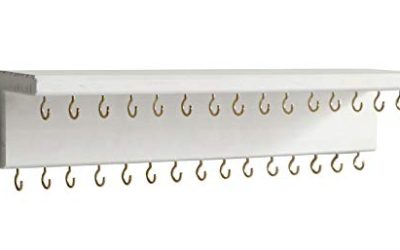
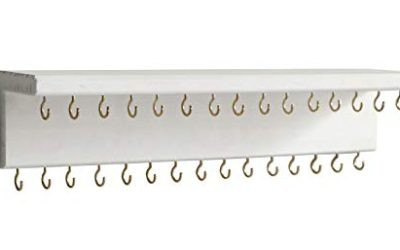
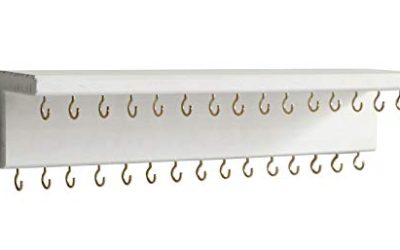
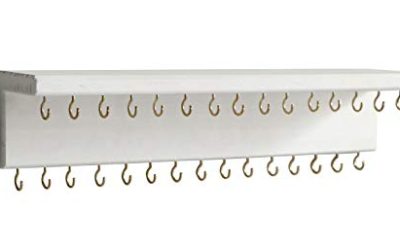
SANY DAYO Jewelry Organizer, 30 Hooks
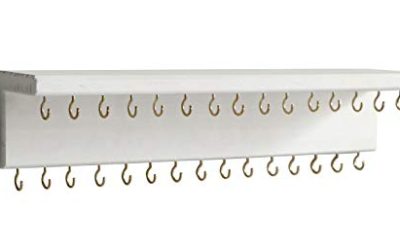
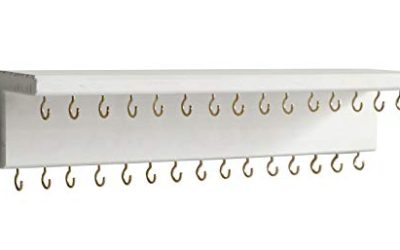
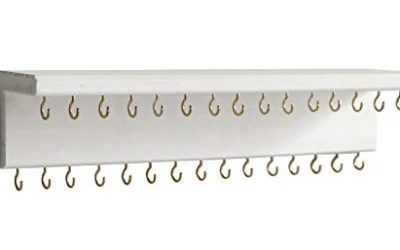
The first companion asks for an honest introduction: the SANY DAYO organizer is a jewelry organizer, built with thirty small hooks for necklaces and bracelets. On a work desk it earns its place only as a light-duty rail — a row of hooks by the wall or under a shelf where keys, lanyards, ID badges and other light accessories can hang instead of pooling in a drawer. Used that way, it supports the same habit the cable tags teach: everything small gets a named home, so nothing hunts at the busy moment.
The limits matter as much as the use. This rail is for light items only. It must never be asked to hold consoles, drives, power bricks, heavy tools or cartridges — those belong on shelves and in drawers built for weight. Kept to its honest job, the organizer clears the exact clutter that makes a desk feel untidy even after the cables are named: the small, light, everyday things that otherwise migrate across the surface.
Specs
- Product type: wall or door jewelry organizer with 30 hooks
- Best desk use: light-duty rail for keys, lanyards and light accessories
- Load guidance: light items only; not for consoles, drives, bricks, heavy tools or cartridges
- Placement: wall, door back or under-shelf near the desk
HEKEE Dusk-to-Dawn A19 Sensor Bulbs
The second companion looks after the room the desk sits in. HEKEE bulbs are plain A19 bulbs with a dusk-to-dawn sensor built in: they come on when the light around them fades and switch off when the room brightens again. That is the whole of their cleverness, and it is enough. A desk corner that keeps its own gentle light in the evening means you are not working under a harsh ceiling light or fumbling for a switch when you sit down early.
Honesty requires two clear statements. These are plain automatic sensor bulbs — they are not smart bulbs, with no app, no voice control and no schedules, and they are not task lighting for close desk work, where a proper desk lamp does the job better. Two practical notes follow from the sensor: in windowless rooms the bulb may stay on, because the sensor never sees daylight to tell it to stop; and before fitting one in an enclosed fixture, check the enclosed-fixture rating so the bulb is used as its maker intends.
Specs
- Product type: A19 LED bulb with built-in dusk-to-dawn sensor
- Behaviour: turns on at low light, off when the room brightens
- Explicitly not: a smart bulb, and not task lighting
- Notes: may stay on in windowless rooms; check enclosed-fixture rating before use
ULANZI Super Clamp
The third companion holds things in place above the desk. The ULANZI super clamp is a sturdy clamp with a mounting point for small gear — the kind of fitting used to hold a phone over a notebook for a call, or a small camera aimed at the desk for a recording. On a desk where cables are tagged and the layout is calm, a clamp earns its keep by giving that gear a fixed home instead of a wobbly stack of books.
The honest framing is simple: the clamp is a mount only. It has no light, no phone and no camera of its own — it holds the gear you already own, and its value is entirely in the holding. Two cautions keep it kind to your equipment. Never clamp it onto a monitor screen, which is not built to take that pressure; clamp a desk edge, a shelf or a stand instead. And pad the jaws, so the grip does not mark the surface it bites.
Specs
- Product type: super clamp mount for small gear
- Provides: a mounting point only — no light, phone or camera included
- Mounting surfaces: desk edge, shelf or stand; never a monitor screen
- Care: pad the jaws to protect surfaces
tomtoc Laptop Case
The fourth companion serves the laptop that leaves the desk. The tomtoc case is a padded soft case that gives a laptop a layer of cushioning in a bag or under an arm, and a tidy place to live when it is not open on the desk. It suits the tagged-cable desk well: the machine travels in its case, the dock cable stays home with its tag on it, and when you return, the right cord is found in seconds.
The limits are plain. This is a padded soft case, not a hard shell, so it softens bumps and scratches rather than standing up to hard knocks. It is not waterproof either; a rainy walk calls for the case to ride inside a bag. The one check that matters before buying is fit: measure your laptop and compare it with the case’s internal dimensions, because a case that is too small strains its zip and a case that is too large lets the machine slide.
Specs
- Product type: padded soft laptop case
- Protection level: cushioning against bumps and scratches; not a hard shell
- Water resistance: not waterproof; carry inside a bag in rain
- Fit: check internal dimensions against your laptop before buying
Hi-Lyte Electrolyte Drops
The fifth companion is the smallest on the list: a little bottle of electrolyte drops for the water you drink at the desk. A long stretch of focused work often ends with the discovery that the water bottle has sat untouched since morning, and drops that give plain water a light mineral taste make some people more likely to actually drink it. A dropper bottle lives neatly beside the monitor and needs no preparation — a few drops in the bottle, by the label’s directions, and the water is ready.
The claims here stay deliberately modest. Hi-Lyte drops are not a medicine, not an energy product and not a treatment for anything; they will not fix tiredness or replace a meal and a break. For most people, plain water is fine, and nothing in this guide suggests otherwise. Follow the label directions for how much to use, and if you have a health condition or take regular medication, a quick word with a clinician before using electrolyte products is the sensible course.
Specs
- Product type: electrolyte drops for drinking water
- Use: add to water by the label directions
- Explicitly not: a medicine, energy product or treatment
- Note: plain water is fine for most people; check with a clinician if unsure
FAQ
Do these picks replace buying actual cable tags?
No. None of the five picks is a cable tag, and the guide says so plainly from the start. The picks are companions that support the same tidy desk — a rail for light items, bulbs that mind the room light, a clamp mount, a laptop case and drops for your water. For the tags themselves, choose simple wraps or sleeves with blank labels, and give every cable its own.
How should the tags be labelled so they stay useful?
Write in general terms that describe the job the cord does: the screen cord, the dock cord, the charger. Avoid model names and codes, because devices change and the tag should still fit the replacement cord. Keep the words short enough to read at a glance behind the desk, and check the labels on your cleaning round so a faded tag gets fixed before it stops helping.
Will the sensor bulbs work in a room with no windows?
They will light, but the sensor may keep them on, because it never sees daylight bright enough to switch them off. In a windowless room, a bulb on a normal switched fitting may suit you better. Also check the enclosed-fixture rating before using any bulb inside a closed shade, and remember these are plain sensor bulbs — not smart bulbs and not a substitute for a desk lamp.
What should never go on the SANY DAYO rail?
Anything heavy. The organizer is a jewelry organizer used here only as a light-duty rail for keys, lanyards and light accessories. Consoles, drives, power bricks, heavy tools and cartridges must never hang from its hooks — they are too heavy for small hooks and belong on shelves or in drawers.
Final Verdict
A tidy desk is built by small systems that each do one plain job. Cable tags do theirs by naming every cord, one tag per cable, written in general terms and wiped on the cleaning round — while the layout underneath does the real organizing. The five companions extend that same calm to the rest of the desk: the SANY DAYO rail gives light, everyday items a home without pretending to carry heavy gear; the HEKEE bulbs mind the room light on their own, with no smart features promised; the ULANZI clamp holds your own camera or phone steady and nothing more; the tomtoc case cushions the travelling laptop within its honest limits; and the Hi-Lyte drops sit modestly by the water bottle. Choose the companions your desk actually lacks, keep every claim about them plain, and the corner where you work will stay easy to use and easy to change.
Product and ASIN Reference
| # | Product | ASIN |
|---|---|---|
| 1 | SANY DAYO jewelry organizer, 30 hooks | B07QFZSVQW |
| 2 | HEKEE dusk-to-dawn A19 sensor bulbs | B07HGZMYZ4 |
| 3 | ULANZI super clamp | B09C882D4M |
| 4 | tomtoc laptop case | B073TVX735 |
| 5 | Hi-Lyte electrolyte drops | B01MXDAHIB |
FAQ
Do these picks replace buying actual cable tags?
How should the tags be labelled so they stay useful?
Will the sensor bulbs work in a room with no windows?
What should never go on the SANY DAYO rail?
More from Amazon
Programs that pair well with the guide above. Offers and eligibility are set by Amazon and may change.
Free shipping on eligible items, Prime Video and more. Eligible new members can start with a free trial.
Start a Prime free trialAudiobooks and podcasts to listen to on the go. Eligible new members can start with a free trial.
Try Audible freeAd-free music streaming. Eligible new subscribers can start with a free trial.
Try Music Unlimited freeA free business account with business pricing and bulk-buying tools for work, shop or home office.
Create a business accountAs an Amazon Associate we earn from qualifying purchases.
Write Your Review
No reviews yet. Be the first to share your experience!