
Key takeaways
- Honest USB light picks for a small keyboard corner, covering brightness limits, battery drain, port strain, warm color, and glare-free aiming.
A small keyboard corner is often the darkest square of the whole desk. The monitor lights itself, the room light sits behind you, and the keys, notebook, and sticky notes fall into a dim patch that strains your eyes long before you notice it happening. A small USB light is the simplest fix for that one patch: it plugs into a laptop port, a hub, or a power bank, bends over the keys, and throws a modest pool of light exactly where your hands work. This guide explains how to choose one with clear expectations, then rounds up five desk companions that help a small lit corner work well.
One point of honesty before anything else: none of the five picks below is itself a USB light. They are the supporting pieces around one. A light-duty rail keeps the lead and a spare cable tidy, automatic bulbs handle the room behind you, a clamp gives a small light a perch, a padded case carries the whole corner kit between rooms, and proper glassware waits on a side table instead of crowding the desk. The buying advice lives in the How to Choose section, and it is deliberately blunt about what a USB-powered light can and cannot do.
As an Amazon Associate, we earn from qualifying purchases.
How to Choose a USB Light for a Small Corner
Accept the brightness ceiling
USB power caps brightness, and no clever product page changes that. A USB light draws a small amount of power, so it produces a small amount of light, enough for a keyboard, a paper notebook, or a row of shortcut keys. Treat it as an accent and task light for one small area. It is never a room light, and it is not a replacement for a full desk lamp when you read documents for hours. If the whole corner needs to feel like daylight, the honest answer is a mains-powered lamp, with the USB light kept for close-up glow.
Remember it spends your battery
A USB light draws from whatever feeds it. Plugged into a wall-powered hub, that costs nothing worth counting. Plugged into a laptop running on battery, or into a power bank on a train, it trades working time for light. The draw is modest, but on a long session away from an outlet it is real. If you regularly work untethered, either accept the shorter runtime, switch the light off between tasks, or feed it from a separate power bank so the laptop keeps its charge for work.
Protect the port it plugs into
Check the plug and the load it puts on the socket. Many USB lights sit on a stiff gooseneck plugged straight into the side of a laptop, and that stiff neck levers against the port every time the desk gets bumped or the light gets adjusted. Ports are soldered, small, and expensive to repair. A short extension lead or a hub moves the weight and the leverage off the laptop socket and onto the desk, where it belongs. If the light must plug in directly, choose a light, flexible neck over a heavy rigid one.
Pick a kind color temperature
Warm color temperatures suit evening work. They are gentler on tired eyes, they make a small corner feel calm instead of clinical, and they flatter faces on video calls. Harsh cool light, the blue-white kind, flatters nobody at midnight: it washes out skin on camera and makes a home desk feel like a checkout counter. If a light offers a choice, start warm for evenings and keep any cooler setting for daytime paperwork where crisp contrast matters more than comfort.
Aim it at the work, not at you
A USB light near a screen can easily create glare. Point it down at the keys or across the paper, never toward your eyes and never straight at the display, where reflections bounce back at you. A small angle change usually fixes a hot spot: lower the neck, turn the head sideways, or move the light so the screen sits outside its direct path. The goal is light on the work surface and nowhere else.
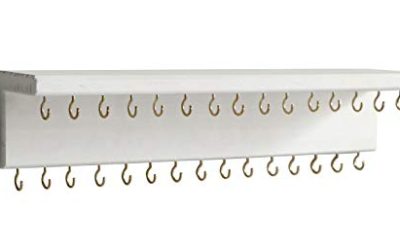
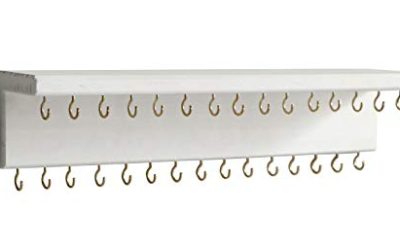
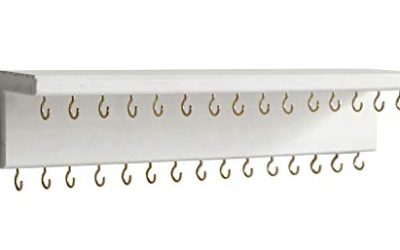
SANY DAYO Jewelry Organizer 30 Hooks

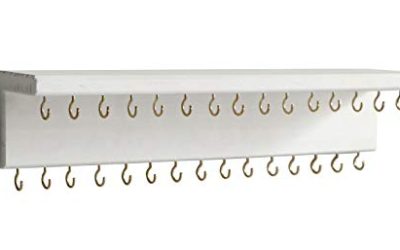
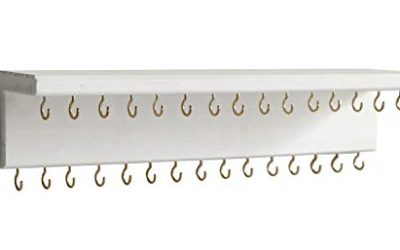
The first pick is stated plainly: this is a jewelry organizer, and in this corner it earns its place as a light-duty rail. Mounted on the wall beside the desk or hung nearby, its row of hooks gives the USB light’s lead, a spare charging cable, and a small reference card a home off the desk surface. Leads that hang on hooks do not tangle around the keyboard, do not slide behind the desk, and do not get rolled over by a chair. That is the whole job, and it does it well.
Respect the limit, though. This rail is for light leads and small cards only. Never hang consoles, external drives, power strips, charging bricks, or heavy tools from it. Those belong on a shelf or in a drawer, and loading a light organizer with them bends hooks and pulls fixings loose. Kept within its light-duty role, it quietly keeps the lit corner from turning into a cable nest.
Specs
- Hook count: 30 hooks in a single row
- Intended use here: light leads, spare cables, and a small card
- Load guidance: light-duty items only, nothing heavy or powered
- Placement: wall or door side of the desk corner, within arm’s reach
HEKEE Dusk to Dawn Bulbs A19

The corner light handles the keys; something still has to handle the room. These HEKEE bulbs are plain automatic sensor bulbs: a built-in light sensor turns them on at dusk and off again at dawn, with no setup beyond screwing them in. They are explicitly not smart bulbs. There is no app, no voice control, no scheduling, and no color changing. They are also not task lighting, and this guide does not present them as such; they provide background room light so the desk corner is not a bright island in a black room, which is easier on the eyes.
Two honest caveats. In a windowless room, the sensor may read permanent darkness and simply stay on, which wastes the feature entirely. And before fitting one inside a covered or enclosed fixture, check the enclosed-fixture rating, because trapped heat shortens bulb life. Used in an open lamp or ceiling fitting with daylight nearby, they quietly remove one daily chore: remembering to switch the room light on when evening arrives.
Specs
- Bulb shape: A19 with a standard screw base
- Sensor: built-in dusk-to-dawn light sensor, fully automatic
- Controls: none, no app or smart features of any kind
- Best fit: open fixtures in rooms that receive some daylight
ULANZI Super Clamp

A small USB light needs a perch, and a desk edge is not always in the right place. This ULANZI clamp is that perch. It is a mount only: it has no light, no phone, and no camera of its own, and it adds nothing except a firm grip and a mounting point where you need one. Clamp it to a shelf edge, a monitor riser leg, or a rail above the corner, and a small light or accessory can sit higher and aim down at the keys instead of leaning out of a laptop port.
Two rules keep it harmless. Never clamp a screen: the pressure that makes the grip secure can damage a display panel. And pad the jaws before tightening onto wood, painted shelves, or anything with a finish you care about, because bare metal jaws bite. Within those rules, the clamp turns awkward corners into workable ones and keeps the light’s weight off your laptop entirely.
Specs
- Type: clamp mount only, no light or device included
- Grip: suited to shelf edges, rails, and poles
- Mounting: threaded points for small lights and accessories
- Care: pad the jaws on finished surfaces, never clamp a screen
tomtoc Laptop Case

A corner setup that moves between rooms, or between home and office, needs its pieces to travel safely. This tomtoc case is a padded soft case for the laptop, with room in its pockets for the small things that complete the corner: the USB light, its lead, and a notebook. Padding absorbs the knocks of a commute and keeps the light from rattling against the machine it will later plug into.
Be clear about what it is not. It is a soft case, not a hard shell, so it will not protect a laptop from a serious crush or a drop onto concrete. It is also not waterproof; a rainy walk calls for an umbrella or an extra bag. Before ordering, check the internal dimensions against your laptop’s measurements, including a little margin, because a case that fits on paper but strains at the zip helps nobody. Measured properly, it makes the whole corner portable in one grab.
Specs
- Construction: padded soft case with zip closure
- Protection: everyday knocks and scratches, not crush-proof
- Water resistance: not waterproof, keep out of heavy rain
- Fit: compare your laptop size with the internal dimensions first
JoyJolt Faye Highball Glasses 13 oz, 6 Pack

Every long evening at a desk involves a drink, and where that drink sits matters. These JoyJolt highball glasses are real glassware, generously sized for water, iced tea, or juice across a long session. The recommendation comes with a firm placement rule: keep them on a side table away from electronics, cards, and collections. A tall glass beside a keyboard is one elbow away from a spill across everything the rest of this guide just organized.
Glass also asks for a moment of care. Real glass is breakable, so treat the set as you would any glassware: no stacking under pressure, no sudden temperature shocks. Check the rims now and then, and retire any glass with a chipped rim, because a chip can cut a lip and sheds tiny fragments into the next drink. Kept on the side table and checked occasionally, a proper glass simply makes the evening corner feel finished.
Specs
- Capacity: 13 oz per glass
- Set size: 6 glasses
- Material: real glass, breakable, handle with care
- Placement: side table only, away from electronics and paper goods
FAQ
Can a USB light replace a full desk lamp?
No. USB power limits brightness, so a USB light suits one small area such as a keyboard or notebook. For hours of reading or a wide desk, a mains-powered desk lamp is the right tool, with the USB light kept for close, local glow.
Will a USB light drain my laptop battery?
Yes, modestly. The light draws from whatever feeds it, so on battery power it trades some working time for light. Feeding it from a wall-powered hub or a separate power bank keeps the laptop’s charge reserved for work.
Why does a USB light feel dim at some ports?
Ports differ in what they supply, and long or thin leads lose a little along the way. A light that seems weak at one socket often brightens at a powered hub. If it stays dim everywhere, the light itself is simply at its brightness ceiling.
Where should a USB light point near a monitor?
Down at the keys or across the paper, never toward your eyes and never straight at the display. Angle the neck so the screen sits outside the direct path of the light, and reflections and hot spots disappear.
Final Verdict
A USB light is a small tool with a small, honest job: a warm pool of light over a keyboard corner. Choose one knowing its ceiling, feed it without draining the machine you depend on, keep its weight off your laptop port with an extension or a perch like the ULANZI clamp, and aim it at the work instead of your eyes. Around it, the HEKEE bulbs soften the room automatically, the SANY DAYO rail keeps light leads in order, the tomtoc case moves the kit safely, and the JoyJolt glasses wait where drinks belong, on the side table. Small corner, honestly lit, nothing overpromised.
Product and ASIN Reference
| Product | ASIN |
|---|---|
| SANY DAYO jewelry organizer 30 hooks | B07QFZSVQW |
| HEKEE dusk to dawn bulbs A19 | B07HGZMYZ4 |
| ULANZI super clamp | B09C882D4M |
| tomtoc laptop case | B073TVX735 |
| JoyJolt Faye highball glasses 13 oz, 6 pack | B08BB62QWT |
FAQ
Can a USB light replace a full desk lamp?
Will a USB light drain my laptop battery?
Why does a USB light feel dim at some ports?
Where should a USB light point near a monitor?
More from Amazon
Programs that pair well with the guide above. Offers and eligibility are set by Amazon and may change.
Free shipping on eligible items, Prime Video and more. Eligible new members can start with a free trial.
Start a Prime free trialAudiobooks and podcasts to listen to on the go. Eligible new members can start with a free trial.
Try Audible freeAd-free music streaming. Eligible new subscribers can start with a free trial.
Try Music Unlimited freeA free business account with business pricing and bulk-buying tools for work, shop or home office.
Create a business accountAs an Amazon Associate we earn from qualifying purchases.
Write Your Review
No reviews yet. Be the first to share your experience!