
Key takeaways
- Five desk companions for a plain light bar setup at a new begin, with sensor bulbs, a clamp mount, a soft case, a light rail and side table glasses.
A new begin at the desk often starts with light. When a workspace is rearranged or claimed for the first time in a while, the plain light bar is usually the piece that makes the surface feel usable again: a simple, generic, unbranded bar that sits above the screen or along the back edge and throws an even wash of light across the work area. It needs no logo, no app, and no decoration. It only needs to be aimed well, matched to the room, and kept clean.
One point needs to be plain first: none of the five picks in this guide is itself a light bar. Each one is a companion that supports the corner where a plain, generic, unbranded light bar does the lighting. There is a hook rail that keeps small daily items off the lit surface, automatic sensor bulbs for the room around the desk, a clamp that mounts small gear without drilling, a padded case for the kit that travels, and real glasses that belong on a side table.
As an Amazon Associate, we earn from qualifying purchases.
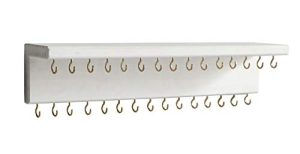
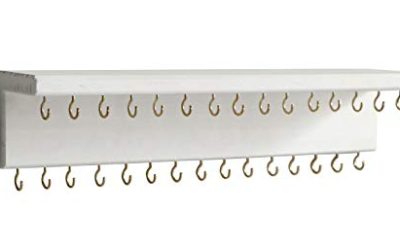
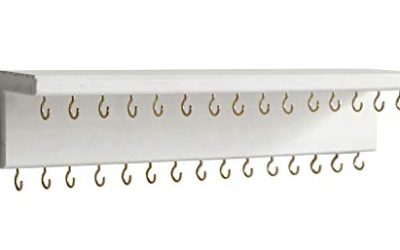
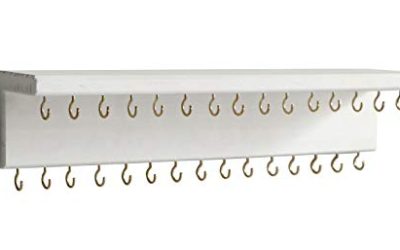
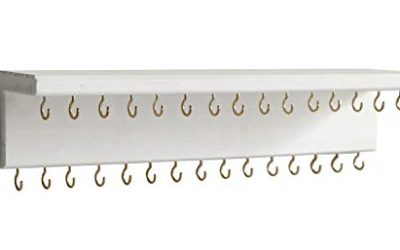
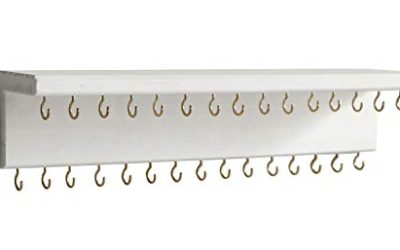
SANY DAYO Jewelry Organizer With 30 Hooks

The SANY DAYO organizer is a jewelry organizer, and in this setup it is repurposed only as a light-duty rail beside the desk. Thirty plain hooks give lanyards, charging leads, earbud cords, and keys a home off the desk surface, which matters more than it first seems. A light bar works best over a clear field, and every cable or strap left lying in the lit area throws a small shadow. Moving those light items onto hooks at the desk edge keeps the pool of light clean and the work area easy to scan.
The limits of this rail need to be stated plainly. It is a jewelry organizer, not equipment storage, and it should only ever carry light items. It never holds consoles, drives, power bricks, heavy tools, or cartridges, and nothing with real weight belongs on its hooks. Hang the light things, and let shelves, drawers, and trays handle everything heavier. Mounted within arm’s reach but outside the bar’s main throw, the rail also avoids becoming a row of bright highlights at the edge of the screen.
Specs
- Product type: jewelry organizer with 30 hooks, used as a light-duty rail
- Role in this setup: holds light hanging items off the lit desk surface
- Load guidance: light items only; never consoles, drives, power bricks, heavy tools, or cartridges
- Placement: desk edge or nearby wall, outside the light bar’s main throw
HEKEE Dusk to Dawn Bulbs A19

The HEKEE bulbs are plain automatic sensor bulbs for the room around the desk. A built-in light sensor turns each bulb on at dusk and off at dawn, with no switch routine and no scheduling. That steady background glow suits a new-begin setup because the room never sits fully dark around the brighter desk corner. The bulbs use a standard A19 shape and fit ordinary household sockets in lamps and ceiling fixtures.
Their limits matter just as much. These are plain sensor bulbs: they are not smart bulbs, they cannot be controlled from a phone, they are not task lighting, and they are not a replacement for the light bar over the desk. Reading, writing, and detail work still belong under the bar. One more note belongs in every plan: in windowless rooms and garage workspaces the sensor may read the space as permanently dark, so the bulbs may stay on around the clock there. Before using any bulb in a covered fitting, check that the bulb is approved for enclosed fixtures.
Specs
- Product type: A19 dusk to dawn sensor bulbs
- Behavior: light sensor turns the bulb on at dusk and off at dawn automatically
- Role in this setup: background room light around the desk corner
- Limits: not smart bulbs, not task lighting, not a replacement for the light bar
- Note: may stay on in windowless or garage rooms; check enclosed fixture approval before use
ULANZI Super Clamp

The ULANZI super clamp earns its place beside a light bar setup because small desk gear often needs a mount more than it needs another shelf. The clamp grips a desk edge, a shelf lip, or a pole and gives a phone holder or a small camera a steady anchor point without drilling holes or giving up surface space. In a fresh setup that flexibility is valuable: the clamp can move in minutes while the layout is still being settled.
The honest description of this pick is short. The clamp is a mount only. It has no light of its own, no phone of its own, and no camera of its own; it simply holds what is attached to it. Its work depends on a sound grip: the jaws should close on a firm edge, the load should stay light, and the clamp should be checked whenever the desk is rearranged. Used that way, it keeps a call camera at a sensible height while the light bar handles the illumination below.
Specs
- Product type: super clamp mount
- Role in this setup: anchors small, light accessories at the desk edge or shelf lip
- Limits: mount only; no light, phone, or camera included
- Use guidance: grip a firm edge, keep loads light, recheck after rearranging
tomtoc Laptop Case

A light bar setup often belongs to a desk that also travels, and the tomtoc case is the padded soft case that carries the laptop and its flat essentials between rooms or between home and office. Soft padding cushions the machine against the small knocks of daily carrying, and a simple interior keeps the laptop, a charger lead, and a few papers together instead of loose in a bag. Back at the desk, the case slides into a drawer and the lit surface stays clear for work.
The case should be understood for what it is. It is a padded soft case, not a hard shell, so it is not the answer for heavy impacts or stacking weight, and it is not waterproof, so rain and spills remain a real risk on the move. Fit deserves a moment of care before ordering: check the internal dimensions against the laptop’s actual measurements, including length, width, and thickness, rather than relying on the screen size alone.
Specs
- Product type: padded soft laptop case
- Role in this setup: carries the laptop and flat essentials to and from the desk
- Limits: not a hard shell, not waterproof
- Fit guidance: check internal dimensions against the laptop’s real measurements
JoyJolt Faye Highball Glasses 13 oz, 6 Pack

The JoyJolt Faye glasses are the refreshment part of the corner, and their placement rule is the whole point of including them. These are real glasses, made of real glass, and they are breakable. In a setup built around a screen and a keyboard, a tall glass of water belongs on a side table, never on the lit work surface beside the machine. Kept on that separate table, a drink is still within reach during a long session, but a knock or a spill stays away from electronics, cards, and collections.
A set of six matching highball glasses also suits the rhythm of a fresh start. One glass in use, a clean one ready, and the rest stored together keeps the habit simple. Treat the side table rule as permanent rather than occasional: the light bar lights the work, the side table holds the drink, and keeping those zones separate protects everything else in this guide.
Specs
- Product type: highball glasses, 13 oz, set of 6
- Material: real glass; breakable, handle and store with care
- Role in this setup: drinks on a side table only
- Placement rule: away from electronics, cards, and collections at all times
How to Choose
Aim the Bar at the Desk, Never at the Eyes
The first decision with any plain light bar is direction. The bar should throw its light down onto the desk surface, the keyboard, and the page, and it should never shine toward the eyes or sit inside the direct line of sight. A bar mounted above the screen and tilted toward the back of the desk usually gives the cleanest result: bright paper, a readable keyboard, and no glare spot in front of the face. Sit in the working chair and check both views; if the light source itself is visible and bright, adjust the angle before anything else is arranged.
Match Brightness to the Room, Not the Maximum
The brightest setting is rarely the right one. A bar turned all the way up in a dim room creates a harsh island of light and deep shadow everywhere beyond the desk edge. Start low, raise the level a step at a time, and stop when the page and screen feel equally comfortable. Background light from the room, such as the sensor bulbs in this guide, softens the contrast further. The goal is a desk that can be used for hours, not a spotlight that impresses for five minutes and wears the eyes out by the end of the first evening.
Dust the Bar on the Weekly Round
Light bars gather dust the way every horizontal surface does, and a dusty bar quietly loses its evenness, throwing a dimmer, patchier wash than it did when new. Add the bar to the weekly round: power it off, let it cool, and wipe the housing and the light face with a dry, soft cloth. The same round can cover the clamp’s jaws, the hook rail, and the desk edge under the bar. It keeps the setup performing the way it did on the first day, which is the entire spirit of a fresh start.
Remember the Bar Only Lights the Desk
The last point is a framing one. The bar only lights the desk; the person does the working. Good light removes one obstacle, but it does not organize the drawer, write the page, or keep the side table rule. That is why this guide surrounds the bar with modest companions: a rail for the small hanging things, sensor bulbs for the room, a clamp for the small gear, a case for the road, and glasses that stay off the surface. Each piece does one plain job, and the person does the rest.
Frequently Asked Questions
Do any of these five picks replace the light bar itself?
No. None of the five picks is a light bar, and none of them lights the desk surface the way a bar does. The sensor bulbs provide background room light, the clamp is only a mount, and the rail, case, and glasses handle storage, carrying, and drinks.
Where should a light bar sit in a small desk setup?
Above the screen, tilted down toward the back of the desk, is the most reliable position. That angle covers the keyboard and page, keeps the light source out of the direct line of sight, and avoids reflections on the screen.
Will the sensor bulbs interfere with the light bar?
No, because they work in different zones. The bulbs respond to the room’s general darkness and provide a soft background glow, while the bar is switched and aimed by the person at the desk. The bulbs may stay on in windowless rooms where the sensor reads constant darkness, so in those spaces they suit a fitting with its own switch better.
How do drinks fit safely into a lit desk corner?
By keeping them out of the corner itself. Real glassware is breakable, and a spill near a keyboard or a stack of cards causes damage that good lighting cannot undo. A small side table beside the chair keeps a drink available through a long session while electronics, cards, and collections stay dry and safe.
Final Verdict
A new begin at the desk does not need a complicated lighting project. It needs a plain, generic, unbranded light bar aimed at the surface and never at the eyes, brightness matched to the room rather than the maximum, and a short weekly wipe to keep the light even. Around that bar, the five companions each cover one ordinary need: the SANY DAYO rail keeps light hanging items off the lit field, the HEKEE sensor bulbs steady the room, the ULANZI clamp mounts small gear without drilling, the tomtoc case carries the kit between desks, and the JoyJolt glasses keep drinks on the side table where they belong.
Product and ASIN Reference
| Product | ASIN |
|---|---|
| SANY DAYO Jewelry Organizer With 30 Hooks | B07QFZSVQW |
| HEKEE Dusk to Dawn Bulbs A19 | B07HGZMYZ4 |
| ULANZI Super Clamp | B09C882D4M |
| tomtoc Laptop Case | B073TVX735 |
| JoyJolt Faye Highball Glasses 13 oz, 6 Pack | B08BB62QWT |
FAQ
Do any of these five picks replace the light bar itself?
Where should a light bar sit in a small desk setup?
Will the sensor bulbs interfere with the light bar?
How do drinks fit safely into a lit desk corner?
More from Amazon
Programs that pair well with the guide above. Offers and eligibility are set by Amazon and may change.
Free shipping on eligible items, Prime Video and more. Eligible new members can start with a free trial.
Start a Prime free trialAudiobooks and podcasts to listen to on the go. Eligible new members can start with a free trial.
Try Audible freeAd-free music streaming. Eligible new subscribers can start with a free trial.
Try Music Unlimited freeA free business account with business pricing and bulk-buying tools for work, shop or home office.
Create a business accountAs an Amazon Associate we earn from qualifying purchases.
Write Your Review
No reviews yet. Be the first to share your experience!